Link tasks with a dependency
Show which task must provide an input before another task can finish.
In this lesson
Link tasks with a dependency
Use a dependency when one task genuinely needs another task’s result. For example, “Draft the welcome article” blocks “Review the welcome article”: the draft is the prerequisite and the review is the dependent task.
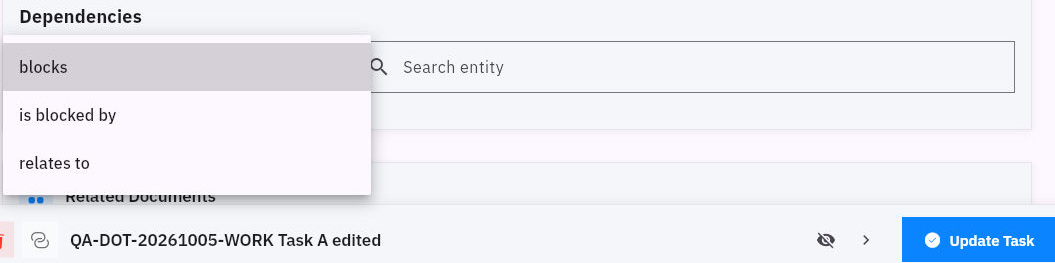
Add a blocks relationship
1. Find both tasks and confirm their full titles and Board. Check what output the dependent task actually needs. 2. Open the prerequisite task—the one that supplies the input. 3. Scroll to Dependencies and check the existing relationships. If the correct link already exists, skip steps 4–5 and check it at step 6. 4. Open Relation and choose blocks. In Search entity, search for the dependent task. Wait for the results and select the exact task. 5. Read the relationship in order: “this task blocks that task.” Check the direction, then select Update Task.
Check the result
Check the link
6. Leave the task and reopen it. Under Blocks, confirm the intended dependent task is still listed. Empty relation/search inputs do not mean an existing relationship has disappeared; check the saved rows. 7. Before starting the dependent work, check that the required output is ready and usable. A saved relationship by itself does not say whether the input is still missing.
Expected result: the prerequisite task retains the correct dependent task under Blocks.
Tips: Relates to is a contextual connection, not a substitute for a prerequisite. Do not add an opposite link just to make wording on the other task look consistent. If the feature is unavailable for your plan or role, ask your administrator about the requirement. Do not assume dependencies automatically move dates or change statuses.
Continue learning
In this series: Plan and deliver work — guide 7 of 17.
Turn what you learned into the way the team works.
Mark this lesson complete once the workflow exists in your workspace—not simply when you reach the bottom.