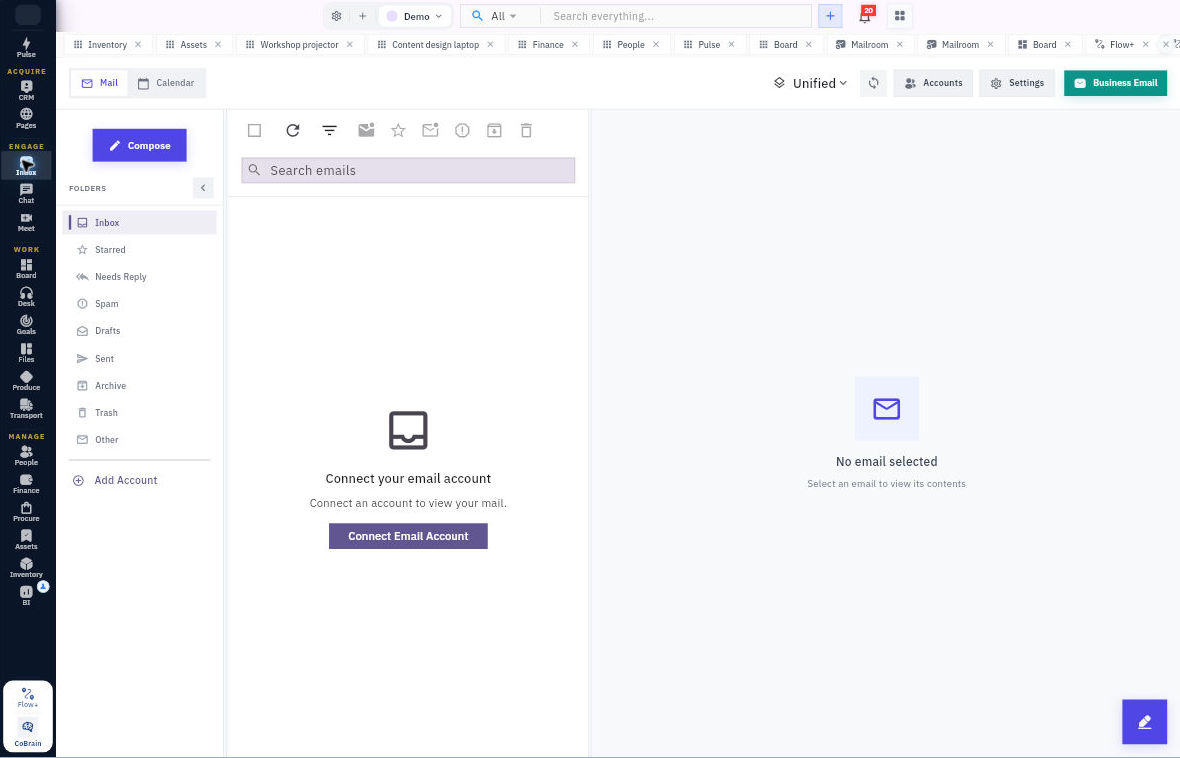
Every customer message, with the context to answer well.

Work through email in a familiar inbox while keeping the customer and the next action close. Switch between accounts or review them together without changing the way you read mail.

For people handling customer correspondence and daily follow-up.

  • No card required
  • Start with one workflow
  • Expand at your pace
Inbox · WorkroomlyProduct view
A full inbox is not the problem. Missing context is.Inbox turns messages into coordinated customer work instead of another personal queue.
Unify every mailbox
Make ownership clear
Respond in context

The customer sees one company. Your teams see separate inboxes.

When email, account history, tasks, and service activity live apart, every reply becomes a search mission—and important messages wait.

When the process is fragmented

  • Customer conversations are trapped in personal and shared mailboxes
  • Ownership changes without the thread or relationship history moving
  • Teams copy message content into CRM and tasks by hand
  • Calendar commitments and follow-ups are easy to miss

When Inbox is connected

  • Personal and shared mailboxes work from one clean operating view
  • Every thread shows account, deal, delivery, ticket, and owner context
  • Messages become tasks, records, meetings, or workflows in one action
  • Routing, priorities, SLAs, and follow-up make responsiveness visible

Inbox is designed around the movement—not the menu.

Each capability stays connected to the customer, work, people, decisions, and operating context around it.

Work across your accounts.

Bring supported email accounts into one mail experience and switch between an individual mailbox and the combined view.

  • Multiple accounts and unified view
  • Folders, starred mail and archives
  • Search and message detail

Keep the next reply in view.

Read the thread, review available customer context and use the mailbox’s follow-up views to decide what needs a response.

  • Needs-reply and follow-up views
  • Attachments and conversation history
  • Customer-record context

Keep scheduling close to the conversation.

Review calendar events alongside email and choose the supported scheduling action when the conversation needs a meeting.

  • Account calendars
  • Calendar events
  • Meet scheduling context

Everything the workflow needs. One coherent operating surface.

Begin simply, configure deeply, and keep the system understandable as the business grows.

Everyday mail

Keep the mailbox understandable.

  • Read, compose, reply and forward messages.
  • Organize folders, starred messages and archives.
  • Search mail and manage attachments.

Accounts & calendars

Bring the day’s correspondence together.

  • Connect and switch between supported mail accounts.
  • Review the unified inbox across accounts.
  • Open calendar events for the selected account.

Customer context & follow-up

Make the conversation easier to continue.

  • Review available CRM associations around a message.
  • Use needs-reply and follow-up views.
  • Configure signatures, forwarding and automatic replies where permitted.

Useful details before you start

Shared responsibility needs configured access

A unified inbox combines accounts you can access. It does not by itself imply shared queue assignment, collision detection or every team-mailbox control.

From a message to a clear next step.

A practical sequence your team can review and own.

01

Read

Open the message in its account or unified view.

02

Understand

Review the thread and available customer context.

03

Respond

Reply with the relevant information or attachment.

04

Follow up

Use the calendar and follow-up views.

One product. Clear value at every altitude.

For Customer teams

Customer teams

Answer with a complete relationship view and clear internal ownership.

For Revenue teams

Revenue teams

Keep deal conversations, meetings, and next steps connected to the account.

For Operations teams

Operations teams

Route high-volume enquiries and make response risk visible across teams.

Start informed. Expand confidently.

The strongest rollout is the one your team can understand, adopt, and prove.

Yes. Inbox supports account switching and a unified view of the accounts available to you.

Inbox preserves the familiar mail-client experience. Use Desk when you need ticket queues, agent assignment and service controls.

Yes. Calendar views are available alongside the account’s mail.

Make every reply feel like your company remembers.

Connect the mailbox under the most pressure and give the team the context, ownership, and follow-through to answer well.