Workroomly Pages

Pages that route demand.

Build landing pages, embed form widgets, publish them, and send every submission into the right CRM, Desk, or Board workflow.

  • Templates
  • Form routing
  • Custom domains
  • Conversion analytics
Lead Capture Sprint Autosaved just now
Published
Revenue-ready page

Capture intent before it leaks.

Launch a campaign page with proof, clear offer framing, and a routed form.

Offer + proof

Story, stats, FAQs, video, images, buttons, and social proof in one builder.

Form Widget

Validated fields, success behavior, and routing rules live inside the page.

4 starter templates for lead gen, webinars, launches, and bookings
4 routing destinations: lead, prospect, ticket, and board task
1 workspace for building, publishing, submissions, and analytics
Live Workroomly URLs, managed domains, external domains, SSL, and DNS status
Activation Flow

From campaign idea to routed customer work.

Pages closes the gap between marketing pages and the operational systems that need to act on the response.

01

Start from a focused template.

Use lead capture, webinar, product launch, booking, or blank templates instead of assembling every page from scratch.

02

Build with conversion blocks.

Add hero, text, image, video, stats, testimonial, FAQ, buttons, spacing, and Form Widget blocks on a visual canvas.

03

Route each submission.

Map fields and conditions so the same page can create CRM leads, prospects, Desk tickets, or Board tasks.

04

Publish and learn.

Go live on a Workroomly URL or domain, then track views, visitors, submissions, conversion, readiness, and activity.

Builder Workspace

A page builder for teams that care about the follow-through.

Workroomly Pages combines campaign creation with the operational detail usually handled later in another tool.

Template picker

Launch with page structures for lead capture, webinars, launches, bookings, or a blank canvas.

Visual blocks

Compose sections with hero, media, proof, FAQ, stats, buttons, spacing, and form widgets.

Autosave and preview

Keep edits safe, preview current drafts, and share page links without losing builder state.

Roles and sharing

Give admins, moderators, and viewers the right level of page access inside the workroom.

Readiness insights

See whether a page has enough content depth, form coverage, and publishing setup before scaling traffic.

Duplicate what works

Turn a high-performing page into the next campaign draft without rebuilding the structure manually.

Form Widgets With Routing

Forms now live where the journey happens: inside Pages.

A Form Widget is not just a contact box. It validates fields, maps data, applies conditions, controls success behavior, and routes submissions into the right Workroomly destination.

One page can handle multiple outcomes.

Use conditional groups and field mappings so different visitors can move into different downstream workflows from the same landing page.

  • Text, email, phone, textarea, dropdown, multi-select, checkbox, and file fields
  • Inline message, redirect, or thank-you panel after submission
  • Webhook triggers and field mapping for operational handoff

CRM Lead

Route high-intent requests to the right CRM Space and campaign.

CRM Prospect

Keep early-stage interest separate until the visitor is qualified.

Desk Ticket

Send support and service requests to the right desk, department, topic, and status.

Board Task

Create internal tasks for teams that need to execute after a submission lands.

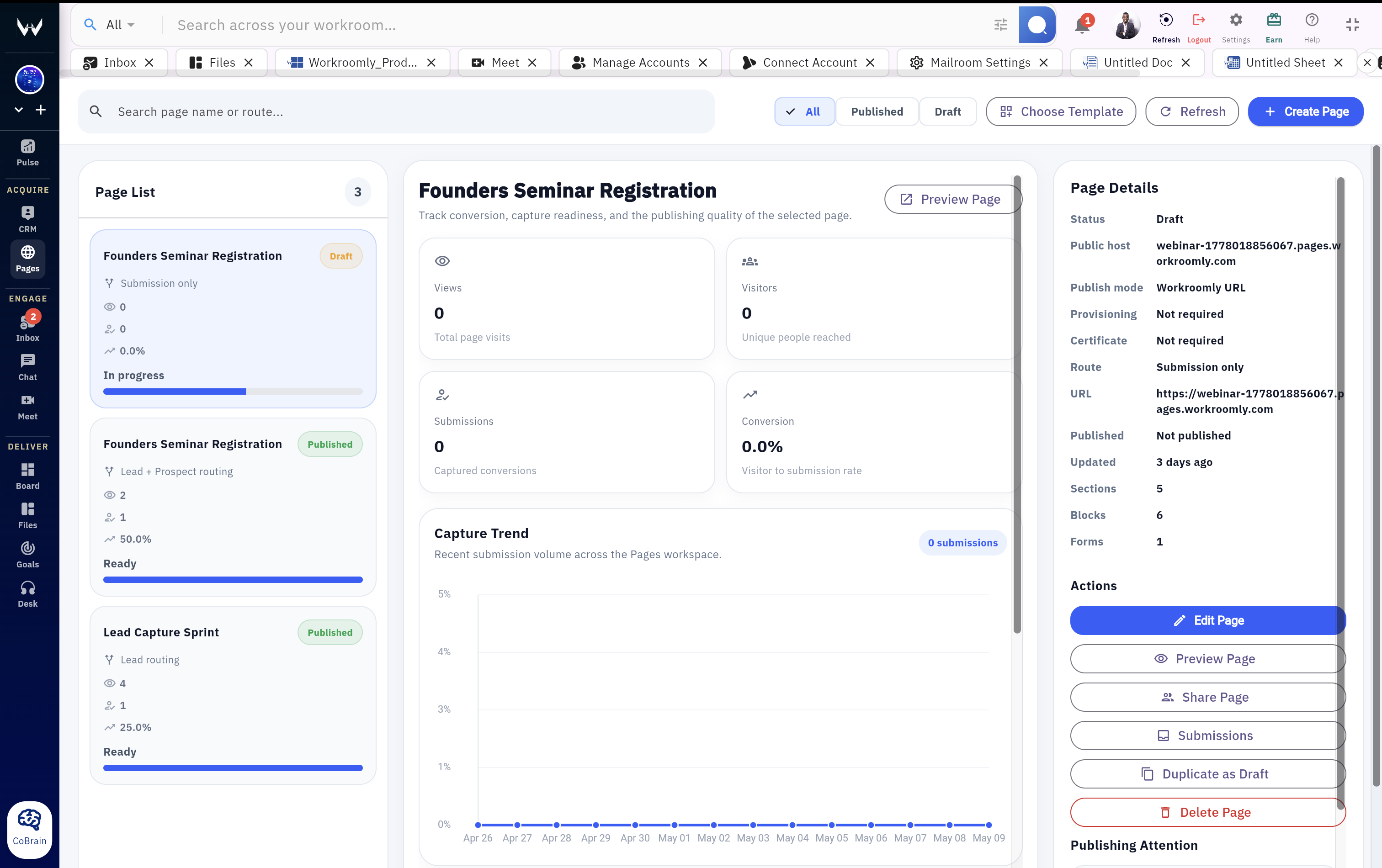
Page Command Center

Know which pages are ready, live, and converting.

The Pages dashboard gives growth and operations one place to review page status, publishing health, submission volume, conversion rate, and recent activity.

Webinar Registration

Track conversion and publishing quality

Live
3,758 views
2,160 visitors
842 submissions
22.4% conversion
Readiness score92%
Capture coverageForm active
Content depth9 blocks
Publishing

Publish without separating the page from the team that owns it.

Use Workroomly URLs for speed, connect domains when the campaign needs brand control, and keep publishing status visible.

Workroomly URL

Get live quickly.

Publish on a Workroomly-hosted URL so a page can move from draft to usable campaign without domain setup.

Custom domains

Use owned campaign hosts.

Manage Workroomly-hosted domains or external domains with DNS, certificate, provisioning, and SSL status.

Tracking

Measure inside and outside Workroomly.

Workroomly analytics stays active, and teams can add external tracker snippets when needed.

Build the next routed page.

Launch a page, capture intent, and hand every response to the right Workroomly workflow without duct-taping forms, domains, analytics, and operations together.