When the process is fragmented
- Records separated from the work.
- Handoffs without a clear owner.
- Decisions without the relevant context.
Plan what to make, check the materials, coordinate the work and record the output in one connected production workflow.
For production planners, manufacturing teams and operations managers.
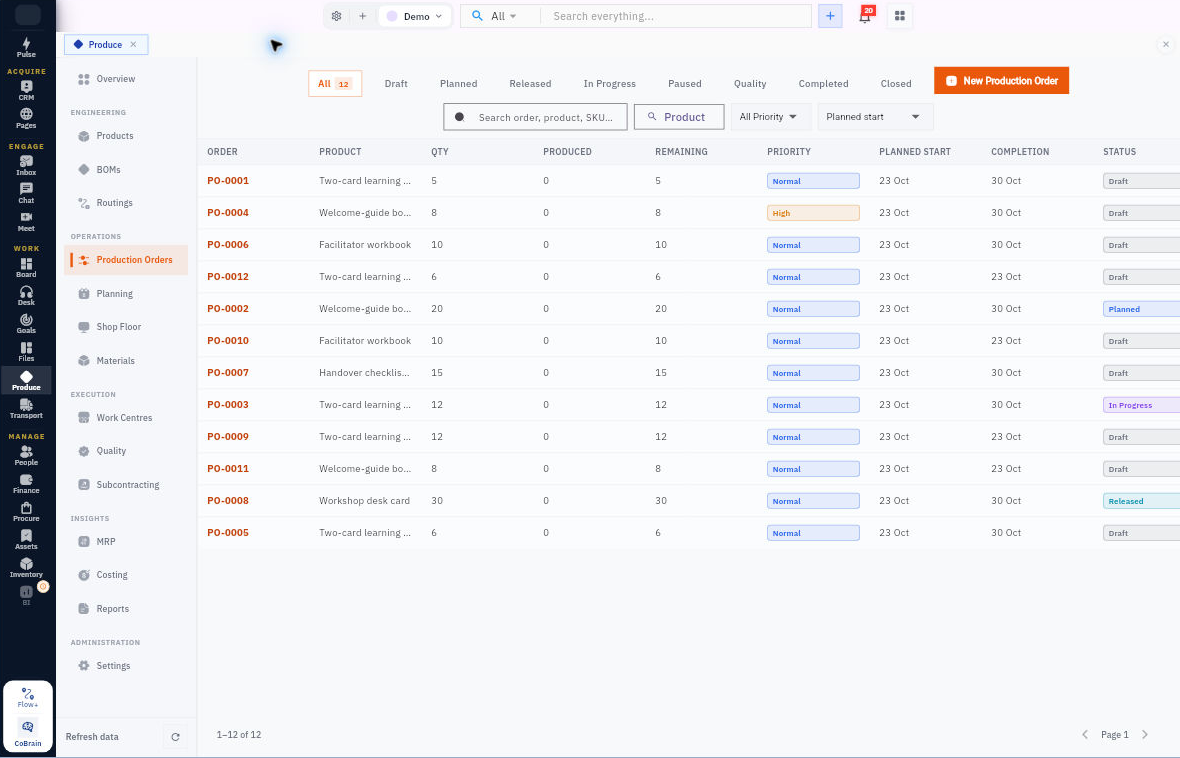
Plan what to make, check the materials, coordinate the work and record the output in one connected production workflow.
Each capability stays connected to the customer, work, people, decisions, and operating context around it.
Build products, versioned bills of materials and routings around the materials and operations required.
Create production orders, review customer demand and capacity, and investigate material shortages.
Reserve and issue materials, progress operations and record production output with its quality evidence.
Begin simply, configure deeply, and keep the system understandable as the business grows.
Give each order a defined production basis.
Make the actual work visible alongside the plan.
Extend the process where your production needs it.
Material availability reads real Inventory stock positions. Production orders support material reservation, issue and consumption; product and BOM setup use Inventory item references.
Create a procurement requirement from the planning workflow and explicitly hand it to Procure. Purchasing remains a controlled step.
Planners review material availability and work-centre capacity, then manage production schedules and orders. Scheduling decisions stay with your team.
A practical sequence your team can review and own.
Select the product, BOM and routing.
Check materials, plan capacity and address shortages.
Issue materials and progress production operations.
Capture output, scrap and quality evidence.
Explore the related workflows and choose the next step your team needs.
For production planners, manufacturing teams and operations managers.
Give the workflow clear ownership and review the evidence.
The strongest rollout is the one your team can understand, adopt, and prove.
Produce connects product definitions, bills of materials, production planning, shop-floor execution and quality in one dedicated workspace.
Costing and financial views require the relevant permissions.
Bring your team into Produce, then connect the next workflow at your pace.