Meetings that leave behind clarity, not cleanup.

Make scheduling, the meeting and its follow-up part of one working record. Review what was discussed and decide which suggested actions should become real work.

For customer-facing teams and people coordinating meetings.

  • No card required
  • Start with one workflow
  • Expand at your pace
Meet · WorkroomlyProduct view
The value of a meeting is what changes after it.Meet connects scheduling, conversation, decisions, records, and accountable follow-through.
Schedule effortlessly
Capture decisions
Create the work

Most meetings end with good intentions and scattered follow-up.

Recordings sit untouched, notes vary by person, and action items depend on someone manually translating the conversation into work.

When the process is fragmented

  • Scheduling takes repeated messages across time zones
  • Customer and project context must be assembled before every call
  • Decisions disappear into recordings or private notes
  • Tasks are created late, without the nuance of the discussion

When Meet is connected

  • Booking pages and availability rules remove scheduling friction
  • Records, files, goals, tasks, and customer history are available in the room
  • CoBrain captures decisions, risks, and unresolved questions
  • Action items arrive in Board, CRM, Desk, Goals, or Flow+ with ownership

Meet is designed around the movement—not the menu.

Each capability stays connected to the customer, work, people, decisions, and operating context around it.

Make the meeting easy to arrange.

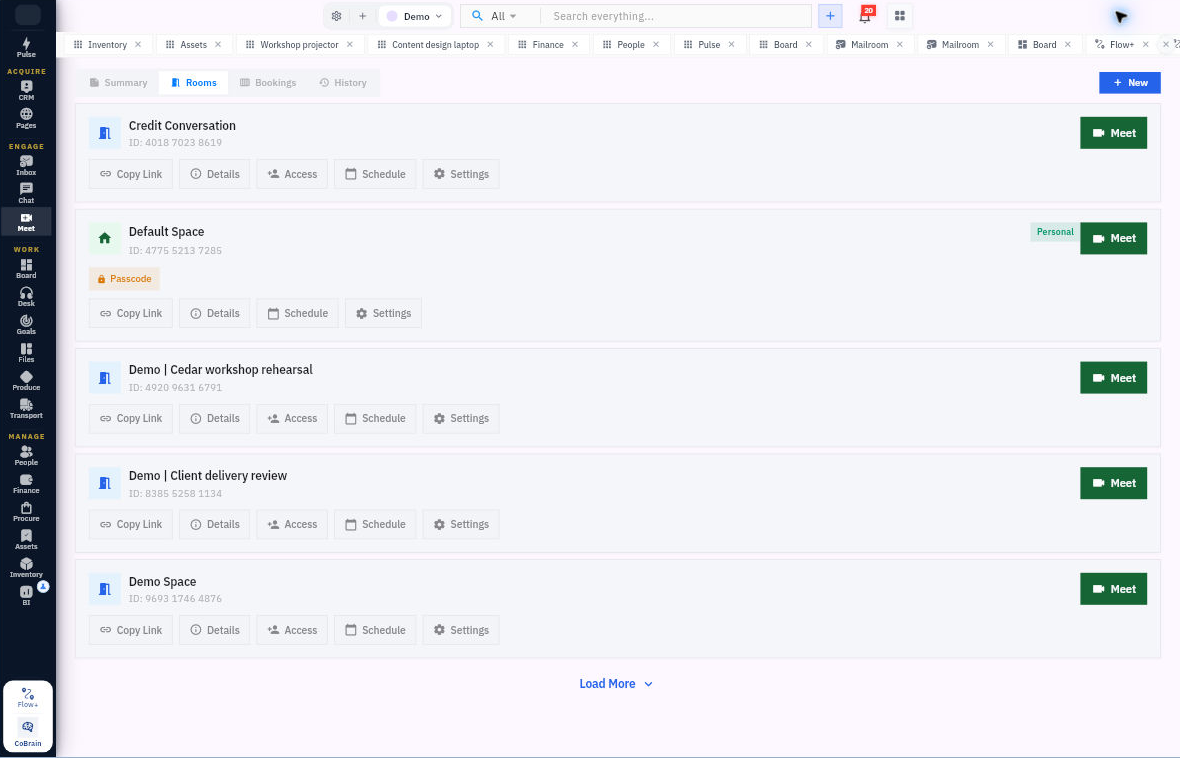
Create rooms, schedule meetings and use booking pages to coordinate availability.

  • Meeting rooms
  • Scheduling and bookings
  • Booking management

Keep a useful meeting record.

Return to meeting history and inspect the transcripts, summaries or recordings available for that meeting.

  • Meeting history
  • Available transcripts and recordings
  • AI summaries

Review the follow-through.

Open saved follow-up suggestions, review the supporting context and apply the supported action with the appropriate permissions.

  • Saved follow-up suggestions
  • Task and CRM-related actions where supported
  • Explicit review before application

Everything the workflow needs. One coherent operating surface.

Begin simply, configure deeply, and keep the system understandable as the business grows.

Scheduling & bookings

Give the conversation a clear time and place.

  • Create meeting rooms and scheduled meetings.
  • Manage booking pages, slots and bookings.
  • Review meeting and booking history.

Meeting evidence

Return to what was actually discussed.

  • Inspect available transcripts and AI summaries.
  • Access recordings when the meeting has one and your role permits it.
  • Keep the meeting’s context with its saved record.

Reviewed follow-up

Move from a suggestion to an owned action.

  • Review saved follow-up suggestions from meeting summaries.
  • Apply supported task or CRM actions through the review flow.
  • Retain the action result and meeting context.

Useful details before you start

Capture and follow-up are not unconditional

Review the recordings and transcripts captured for a meeting, then choose which suggested follow-ups to apply to tasks or CRM records.

From a booking to a reviewed next action.

A practical sequence your team can review and own.

01

Arrange

Choose the room, time or booking link.

02

Meet

Hold the conversation in context.

03

Review

Open available summary and transcript evidence.

04

Act

Review and apply the supported follow-up.

One product. Clear value at every altitude.

For Customer-facing teams

Customer-facing teams

Schedule faster and keep every call connected to the relationship.

For Project teams

Project teams

Turn discussions into decisions, owners, due dates, and linked delivery work.

For Leadership teams

Leadership teams

Preserve the rationale behind decisions and make follow-through visible.

Start informed. Expand confidently.

The strongest rollout is the one your team can understand, adopt, and prove.

No. Meet also includes rooms, bookings, scheduling, meeting history and available transcripts, summaries, recordings and follow-up suggestions.

Saved suggestions are reviewed before supported actions are applied. Availability and permission checks still apply.

No. Recordings and transcripts appear when available for that meeting and permitted for the viewer.

End the meeting with the work already moving.

Connect the next conversation to the context before it—and the actions that must follow.