Customer Operations OS

Run your entire customer lifecycle in one workspace.

Unify your inbox, CRM, campaigns, support, and team execution into one connected customer operations platform.

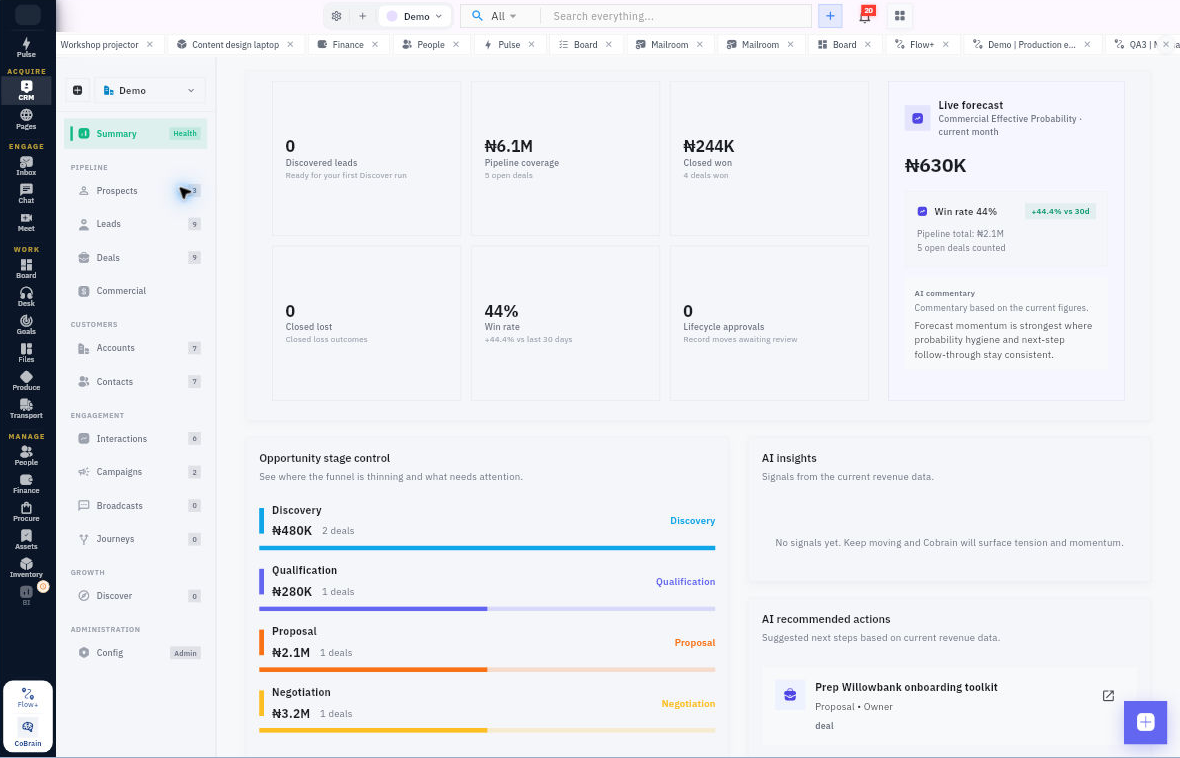
Capture from widgets, APIs, and WhatsApp. Move prospects to leads to deals with full context.

Plans start from $7.99/user/month. Replace your customer stack for less.

One customer timeline WhatsApp to lead Sales + support connected

Typical monthly customer ops stack (per user)

Google Workspace$7.00
CRM$20.00
Helpdesk$15.00
Execution Tools$12.00
Lead capture / outreach tool$19.00

You save $65.01 (89.05%) per user/month

Based on public list prices; taxes/VAT may apply. CRM, lead capture, and outreach costs are typical market estimates.

See what changes →

How most teams operate today

Website leads here. WhatsApp there. CRM somewhere else.

Lead Widget WhatsApp Inbox CRM Broadcast Spreadsheet follow-ups

Result: missed leads, duplicated work, poor visibility, and slow follow-ups.

With Workroomly

One continuous customer flow

Capture → prospect → lead → deal → support → retain.

Everything connected. Nothing lost.

Operating architecture

The Workroomly Customer Operations OS

Four connected systems that keep every customer interaction, workflow, and handoff in one place.

System 01

Capture

Collect inbound demand from lead widgets, WhatsApp, inboxes, and APIs.

Every prospect enters one structured system instead of vanishing across tools.

Lead WidgetsWhatsAppInboxLead API
System 02

Convert

Run pipeline, campaigns, broadcasts, and follow-ups from one CRM.

Sales teams get full context, faster follow-through, and better visibility from prospect to deal won.

CRMCampaignsBroadcastSequences
System 03

Support

Handle tickets, customer requests, and service handoffs without losing account history.

Support teams see the full relationship, not just the latest ticket, so customers never repeat themselves.

DeskInboxPulseChat
System 04

Execute

Coordinate the internal work that keeps revenue and support moving.

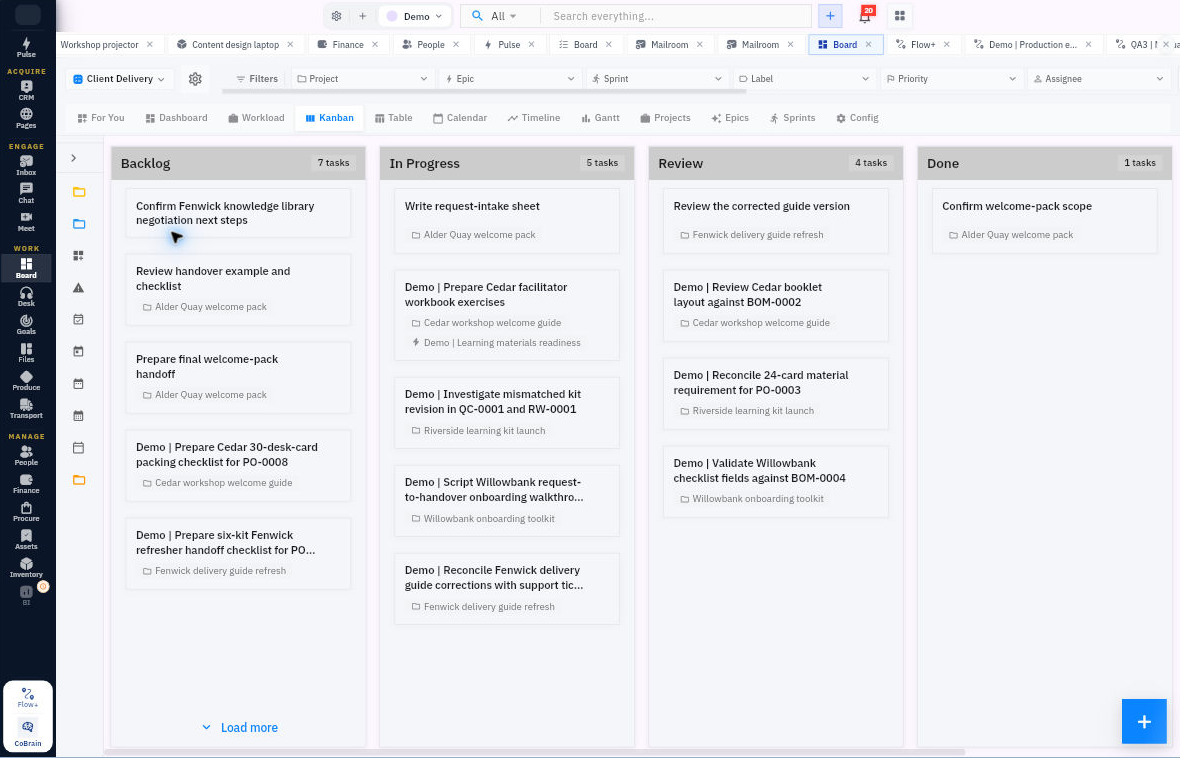
Boards, goals, files, chat, and meetings stay tied to customer activity so nothing slips through the cracks.

BoardGoalsFilesMeet

Lead capture that actually feeds your CRM

Capture demand from anywhere without manual copying

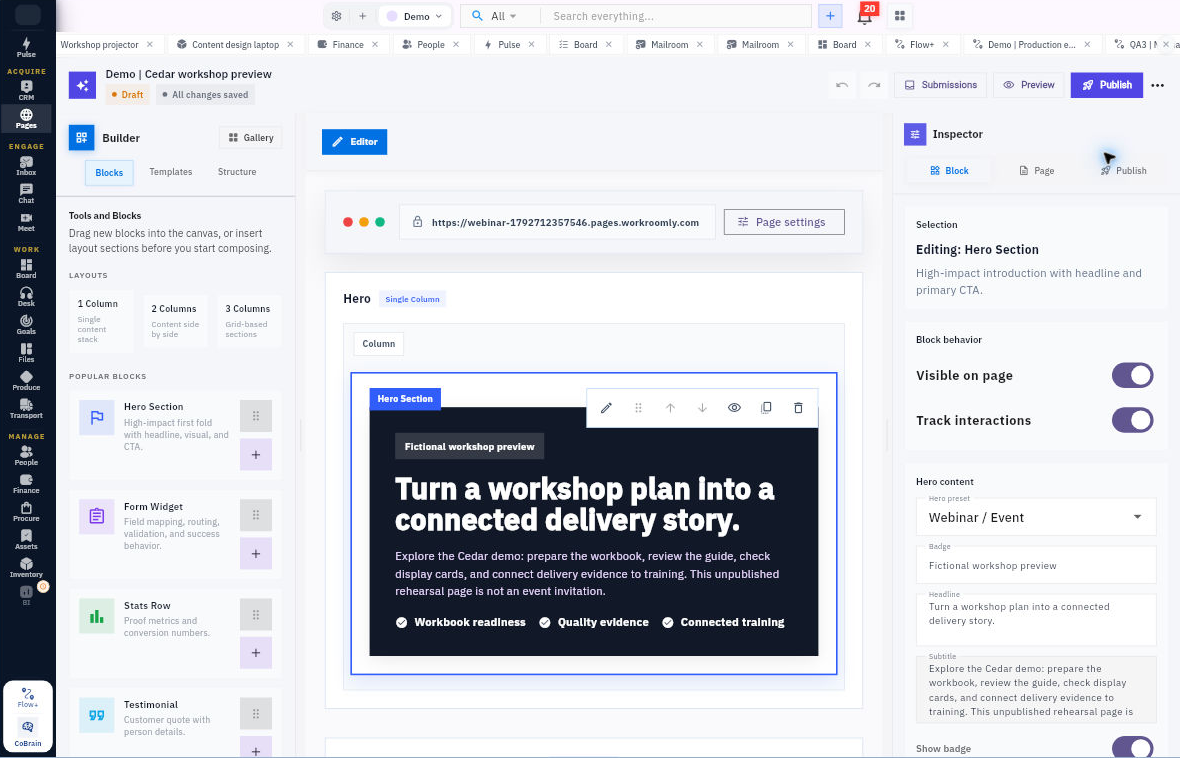
Bring inbound opportunities straight into your customer lifecycle, whether they come from your site, WhatsApp, or another system.

Embedded capture

Lead widgets

Embed Workroomly lead widgets on your site and send prospects straight into your CRM.

No third-party form tool required to start capturing structured inbound demand.

Twilio-powered

WhatsApp to lead

Turn incoming WhatsApp conversations into CRM leads automatically with Twilio integrations.

Your team stops losing hot inbound conversations in chat threads and personal phones.

System-to-system

Lead injection API

Push leads from ad flows, landing pages, apps, or partner systems straight into Workroomly.

Keep prospect intake structured from the first event instead of patching it together later.

Built for growth teams

Built for companies that run on leads, conversations, and follow-ups

From founder-led sales to growing support teams, Workroomly is built for customer-facing operations that cannot afford leakage.

Founder-led sales

Startups

Stop running sales and support from WhatsApp, spreadsheets, and disconnected tools.

Get one system for lead capture, pipeline, follow-ups, and customer service.

Client-facing

Agencies

Manage inbound leads, client communication, and delivery handoffs from one workspace.

Keep acquisition, account context, and execution tied together across every client.

Service teams

Support teams

Give your team full customer context before they reply, escalate, or close any issue.

Tie tickets, inboxes, accounts, and internal owners together in one flow.

Growth with control

Growing companies

Scale pipeline, support, and internal coordination without stacking more SaaS every quarter.

Standardize your customer lifecycle before operational complexity outruns your team.

One system for the 3 jobs customer-facing teams run every day.

Capture demand, convert opportunities, and support customers without switching tools.

1. Capture & qualify

Turn inbound demand into structured pipeline.

Lead widgets, WhatsApp, inboxes, and APIs feed directly into CRM.

No more copy-pasting from website leads into spreadsheets or manually tracking inbound conversations across scattered inboxes.

Lead WidgetsWhatsAppInboxLead API
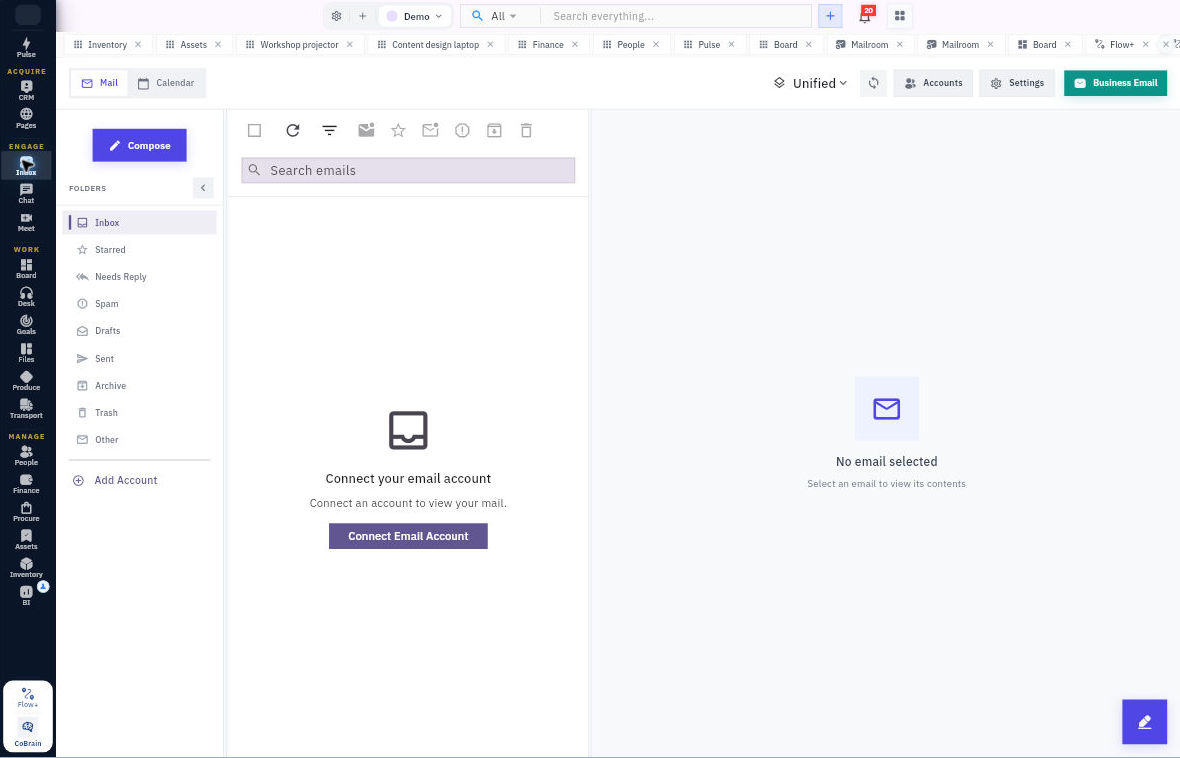
Inbox and lead capture preview in Workroomly

2. Convert & follow up

Run revenue workflows with full context.

Pipeline, campaigns, broadcasts, and sequences stay connected.

Every prospect, lead, deal, account, and conversation lives in one CRM so follow-ups happen faster and leakage drops.

ProspectsLeadsDealsCampaigns
CRM and pipeline preview in Workroomly

3. Support & retain

Resolve customer issues without losing account history.

Support tickets and internal execution stay in sync.

Desk, inbox, chat, boards, and files work together so service teams act with full context and internal owners stay accountable.

DeskInboxBoardFiles
Desk and support workflow preview in Workroomly

AI That Moves Work

CoBrain turns customer signals into actions.

From new leads to ticket escalations and pipeline risks, CoBrain keeps your customer operations moving without manual chasing.

  • Convert inbound activity into CRM records and next steps instantly
  • Surface risks across deals, tickets, and customer conversations in one brief
  • Assign owners, trigger follow-ups, and keep teams aligned in context
CoBrain
LIVE

Prompt

"CoBrain, prep Monday customer ops review — pull new website leads, new WhatsApp conversations, overdue follow-ups, and high-priority support escalations."

CoBrain Output

Prospect queue prioritized • CRM follow-ups created • WhatsApp leads matched to accounts • owners notified via Chat + Inbox.
Smart handoff

CoBrain matched 12 support tickets to CRM accounts, assigned owners instantly, and queued follow-ups for at-risk customers.

Response readiness

92%

full customer context
Signals routed

+38

today across ops

Explore Your Customer Operations OS

Now viewing

Workspace Shell

Unified tabs, spotlight search, customer context, and smart notifications.

Learn more
Workspace shell preview 1
1 / 1
Workspace Shell Surface

Switch between modules, click any image to expand fullscreen, and let autoplay tour each feature while this section is in view.

Platform Core

Workspace Shell

Unified tabs, spotlight search, customer context, and smart notifications.

CoBrain

Your AI layer for summaries, routing, ownership, and cross-workspace coordination.

Business Email

Provision user@yourdomain mailboxes with AI triage, routing, and signatures.

Conversations

Inbox

Every inbox and calendar in one surface with AI replies, routing, and account context.

Team Chat

Internal conversations, huddles, and announcements beside the customer work they reference.

Meet

Video calls with instant notes, tasks, recordings, and customer context.

Customer Ops

CRM

Prospects, leads, deals, accounts, contacts, campaigns, broadcasts, and sequences in one AI-assisted CRM.

Desk

Support tickets, queues, SLAs, and internal escalation workflows connected to customer history.

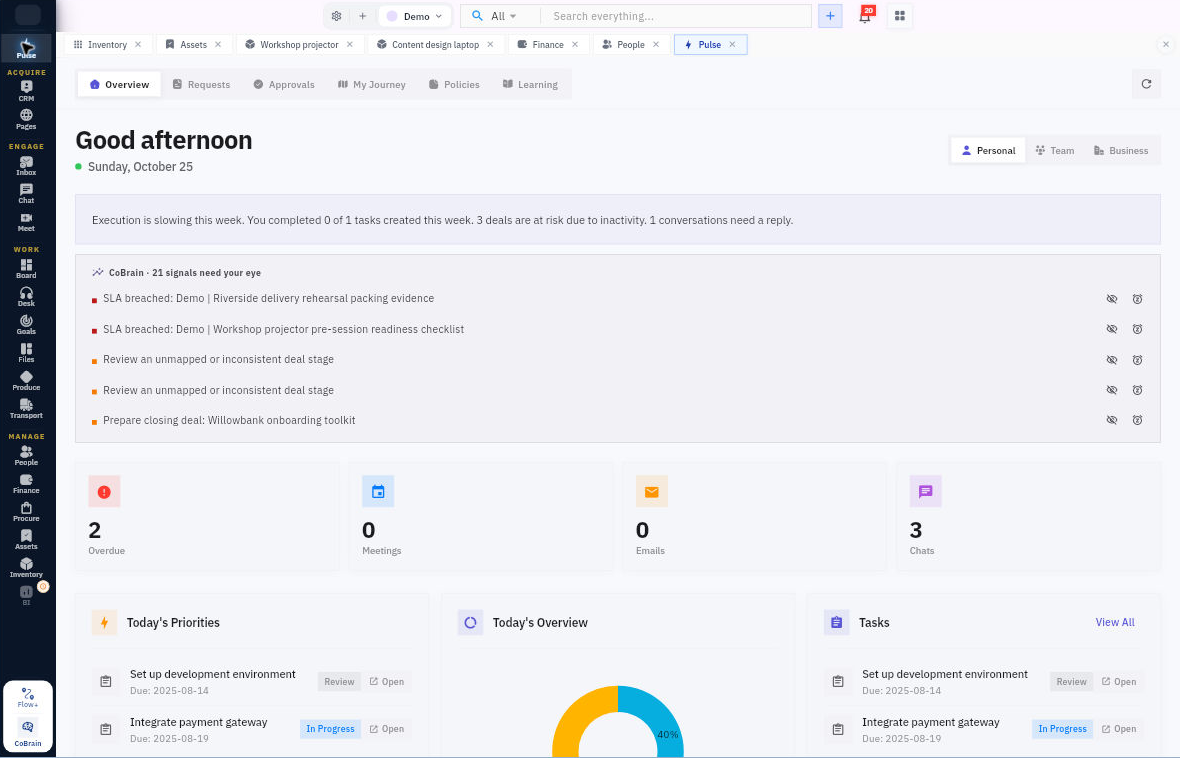
Pulse

Live briefings across customer ops, pipeline health, blockers, and operational signals.

Execution

Board

Kanban, timeline, and sprint views for the internal work that keeps customer delivery moving.

Goals

Company, team, and customer-facing objectives linked to real work and live progress.

Files

Files, docs, sheets, decks, and assets linked to customer work and internal delivery.

See Workroomly in action

A lightweight view of the customer ops modules your team runs every day.

Prospect and lead management in Workroomly

Prospects to deals

Track the full path from prospect to lead to deal in one CRM.

Inbox and conversation view in Workroomly

Manage conversations

Unify inbox workflows and team handoffs so every response stays in context.

Support desk workflow in Workroomly

Support customers

Resolve tickets with full customer history, owners, and internal collaboration in one place.

CoBrain AI assistant workflow in Workroomly

AI-powered coordination

Use CoBrain to route signals, create follow-ups, and keep customer work moving.

Problem and solution

Why we built Workroomly

Most companies do not actually have a customer operations system.

  • Website widgets capture demand in one place.
  • WhatsApp and inbox conversations happen elsewhere.
  • CRM has incomplete context.
  • Support lives in another silo.
  • Follow-ups are tracked manually.
  • Internal delivery work breaks away from customer reality.

That fragmentation creates lost leads, slower responses, broken handoffs, and poor customer experience.

Workroomly replaces that sprawl with one system where customer conversations, pipeline, support, and internal execution live together.

Built for teams that need reliability, visibility, and control.

If you are skeptical about adding another subscription, this is designed to replace the fragmented customer stack you already pay for.

Built for African and global teams
Transparent pricing
No hidden enterprise lock-in
Secure infrastructure powered by AWS
Role-based permissions and enterprise-grade controls
Customer data, email, support, and execution in one system
Designed for founder-led sales and distributed teams

Will my team actually use this?

Yes. Sales, support, and operators get one place for capture, conversations, CRM, and follow-through instead of scattered tools.

Is migration hard?

Start with one workflow first — inbox, CRM, or support — then expand team by team. Workroomly is designed for gradual rollout.

Can I start small?

Absolutely. Begin with your customer-facing team, prove value fast, and expand into broader internal execution as your company grows.

Stop losing customers between tools.

Run your lead capture, conversations, pipeline, support, and internal execution from one connected system.

Replace fragmented customer operations with one AI-powered platform.

Customer lifecycle in one system
AI-powered follow-ups and handoffs
Secure by design