Prepare an agreement and its obligations
Save the agreement’s operational details and assign the duties that need follow-through.
In this lesson
Prepare an agreement and its obligations
Save the agreement’s operational details and assign the duties that need follow-through.
Before you start
Have the reviewed agreement or proposal, supplier, scope, dates, currency, amounts and responsible owner. Distinguish preparation, internal approval and supplier acceptance. This workflow records information; it does not decide whether a contract is legally effective.
Create and check the draft
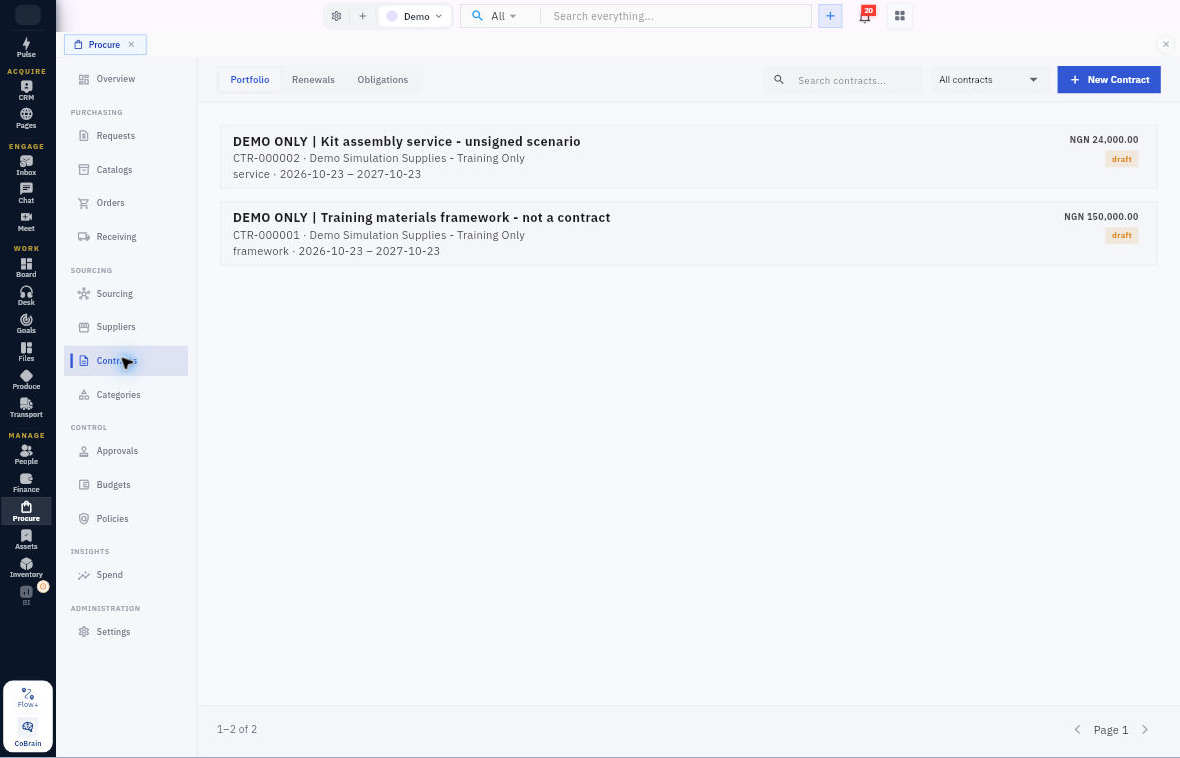
1. Open Procure → Contracts → Portfolio and use Search contracts. If the intended agreement already exists, open it and compare its current version, then skip steps 2–5 and continue at step 6. Otherwise, select New Contract.
2. In Agreement, choose Supplier, enter Contract title and select Agreement type.
3. In Term and value, set Starts, Ends, Currency, Contract value and Spend ceiling from the reviewed source. Value and ceiling are not proof of orders, accepted services or payment.
4. Review Payment terms (days), Termination notice (days) and Governing law or jurisdiction. Set Automatic renewal and Renewal notice window (days) to reflect the actual source, not the form’s defaults. Enter a clear Scope, exclusions and internal notes summary while retaining the full source separately.
5. Select Create Draft once. Return to Portfolio, find the saved reference and reopen it. Check its identity, Draft state, amounts, dates and notes. Resolve a mismatch before submitting it for review.
Assign an obligation
6. Open the correct agreement and inspect existing Obligations first. If the duty exists, check its saved owner, criteria and date instead of repeating steps 7–8. For a new one, select Add obligation and enter a specific action in What must be done?.
7. Add Completion criteria, the actual Due date and the agreed Responsible owner. “Provide the monthly report” needs a criterion such as the required coverage and reviewer acceptance; a file merely arriving may not finish the duty.
8. Select Add obligation, reopen the agreement and check the saved duty, owner and date. Use Contracts → Obligations to monitor recorded open and overdue duties.
Plan renewal before the notice deadline
Check Contracts → Renewals, but also read the exact agreement’s state and source dates. Set an internal decision point early enough to assess performance, pricing, alternatives and transition. Confirm any notice method and deadline with the responsible commercial or legal reviewer rather than deriving them from a day-count field alone.
Expected result
The agreement draft is findable and its important duties have clear owners, criteria and dates.
Remember: An empty Renewals view is not proof that no notice is due. Submit for approval, supplier acceptance and activation are separate from draft creation. Preserve old and new terms when a change is proposed; switching a software setting does not by itself amend the agreement.
Continue learning
In this series: Manage purchasing — guide 10 of 17.
Turn what you learned into the way the team works.
Mark this lesson complete once the workflow exists in your workspace—not simply when you reach the bottom.