Review a bank statement and reconciliation
Find the statement and reconciliation for one cash account, check their scope and identify unresolved differences.
In this lesson
Review a bank statement and reconciliation
Find the statement and reconciliation for one cash account, check their scope and identify unresolved differences.
Before you start: Have the complete bank statement and access to the corresponding cash account and book transactions. This workflow reviews existing records; importing and matching new bank rows requires your organisation’s supported statement format and procedure.
Steps
1. Open Finance → Cash → Bank transactions → Statement imports. Find the statement for your account and period. Compare its opening balance, closing balance, currency and statement end with the bank document.
2. Open the statement record. Check Statement Start, Statement End, Row Count, Currency and Cash account. Read its current status. A saved import record is not, by itself, proof that its transactions were ingested.
3. Close the detail and choose the Bank transactions tab. Compare the available rows with the statement by reference, date, amount and direction. If the expected rows are absent, resolve the import status or format with the responsible Finance operator before treating the account as reconciled.
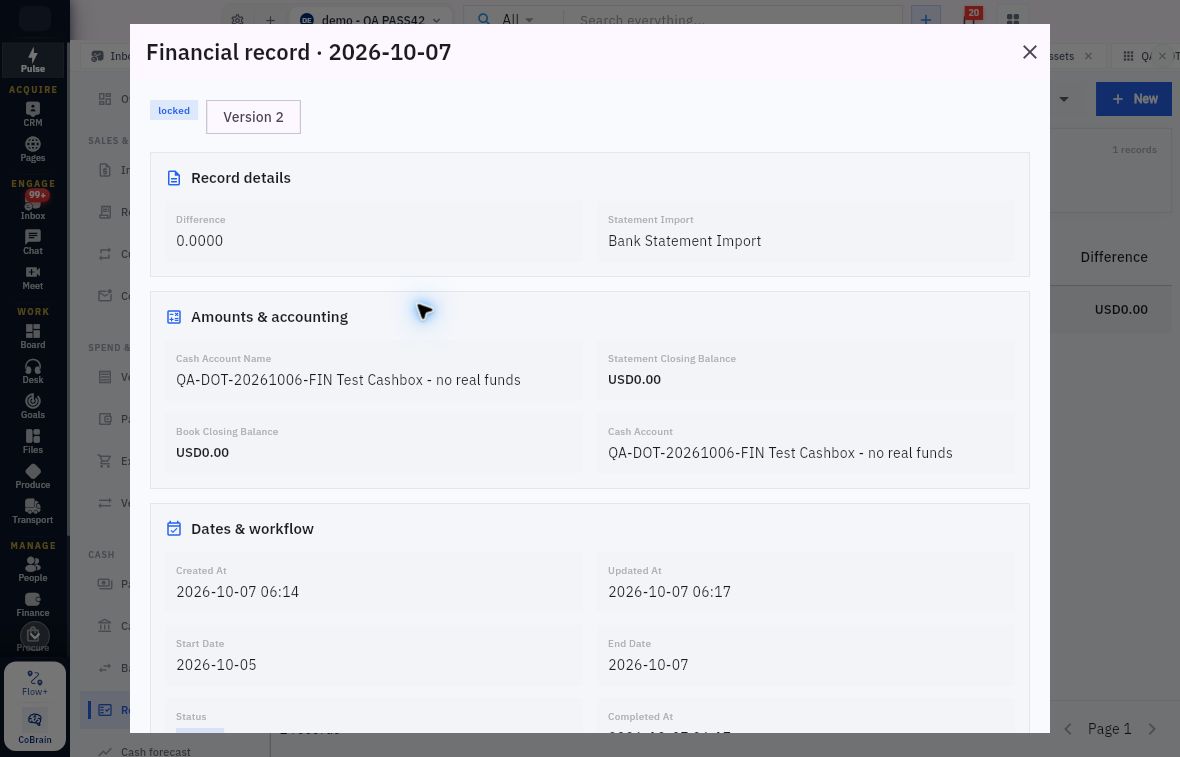
4. Open Finance → Cash → Reconciliation. Find the session for the same account and dates. Open it and compare Statement Closing Balance, Book Closing Balance, Difference and the linked Bank Statement Import.
Check the result
5. Investigate differences using the underlying bank and book records. Separate timing items, such as a payment clearing after the cutoff, from supported transactions missing from the books. Match exact references as well as amounts; two customers can pay the same amount.
6. Review the reconciliation’s status and, where present, Completed At and Locked At. Confirm that the supporting transactions and explanations cover the period. A zero difference or Locked label alone does not show that every expected item was matched.
7. Give the responsible owner any unresolved item with its account, date, reference, amount and the specific discrepancy. Recheck it after the supported correction or matching workflow is complete.
Expected result
You know which statement and reconciliation cover the account, whether their scope agrees and which differences still need resolution.
Common pitfalls
- An empty Bank transactions list does not mean the bank balance is zero. Check the statement and import status.
- Do not enter a balancing adjustment merely to make Difference zero. Correct only a supported source error through the appropriate workflow.
- Do not re-import the same statement after a timeout without checking the original attempt and its transaction rows.
Continue learning
In this series: Manage business finances — guide 12 of 15.
Turn what you learned into the way the team works.
Mark this lesson complete once the workflow exists in your workspace—not simply when you reach the bottom.