Assign a task and clarify responsibility
Assign the right person to a task and check the saved assignment.
Part of Hand customer work to its delivery owner
In this lesson
Assign a task and clarify responsibility
Agree who will move the task forward before assigning it. The assignee is responsible for the work; a reviewer or watcher may have a different role.
Assign the task
1. Open Board → Table in the correct Board. Find the task and read its current Assignee value. 2. Open the task and confirm its full title and project. 3. Under Relationships, open Assign Members. Search for the intended person and check that you have the right account, especially when names are similar. 4. Select the person, then select Update Task. If the task already has the correct assignment, leave it unchanged. 5. Return to Table and find the same task. Check Assignee again. You can also expand the project in Projects and check the task’s Assignees column.
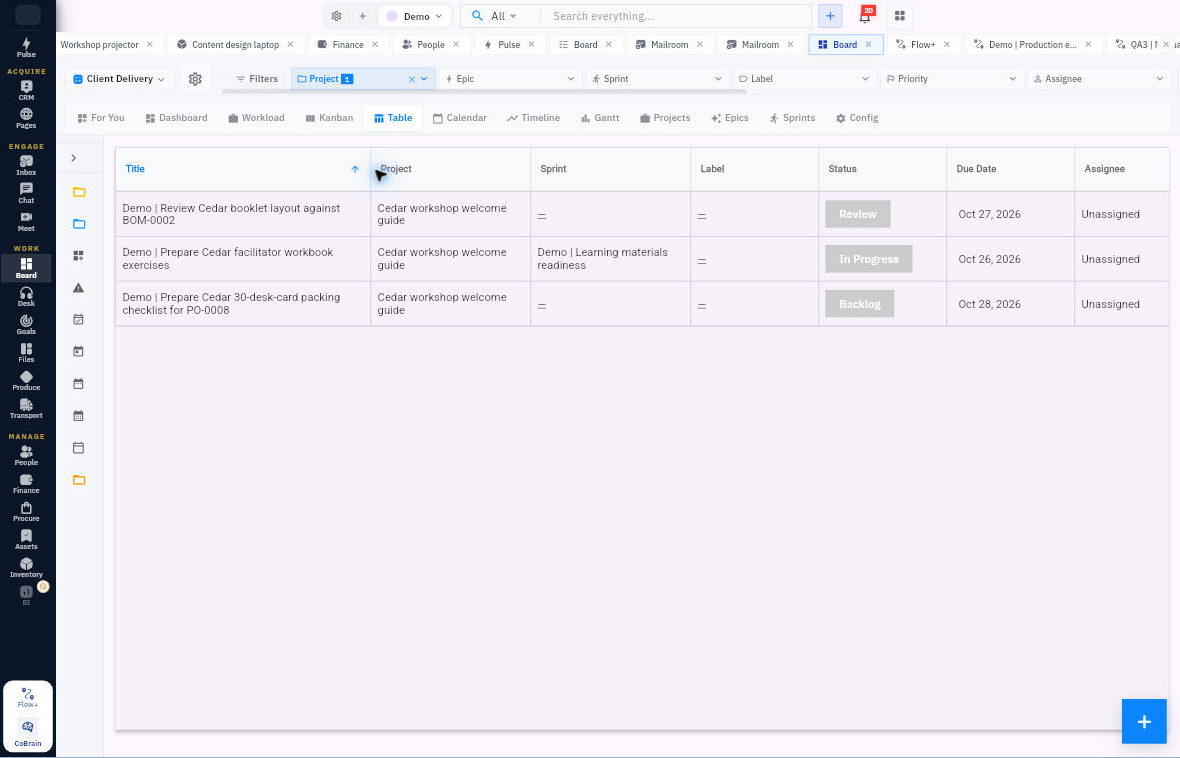
Check the result
Make the handoff useful
Tell the assignee what output is needed, where to find the inputs, when it is needed and what “done” means. Agree who will review it and when to raise a blocker.
Expected result: the task shows the intended assignee and that person understands the responsibility.
If the editor and list disagree: reopen the same task and compare the views before saving again. Do not repeatedly reassign it to force the displays to match.
Remember: assignment alone does not confirm that someone read a notification, accepted the deadline or can open every supporting file.
Continue learning
In this series: Plan and deliver work — guide 5 of 17.
Turn what you learned into the way the team works.
Mark this lesson complete once the workflow exists in your workspace—not simply when you reach the bottom.