Review supplier evidence and qualification
Check the supplier’s evidence and record a recommendation that states its scope and any unresolved conditions.
In this lesson
Review supplier evidence and qualification
Check the supplier’s evidence and record a recommendation that states its scope and any unresolved conditions.
Before you start
Know the supplier, intended goods or services, applicable purchasing requirements and who can make the qualification decision. A saved supplier profile, an attractive price and a high onboarding percentage do not replace the evidence review.
Check and submit the evidence
1. Open Procure → Suppliers → Directory and the exact supplier. Read Onboarding, Compliance documents and Qualification separately. Match the legal entity and intended activity before relying on any document.
2. For each requirement, check the evidence’s source, reference, completeness, issue date and stated expiry against the proposed work period. Distinguish missing, mismatched, expired and pending-review evidence. Use your organisation’s specialist process for legal, tax, insurance and payment-information checks.
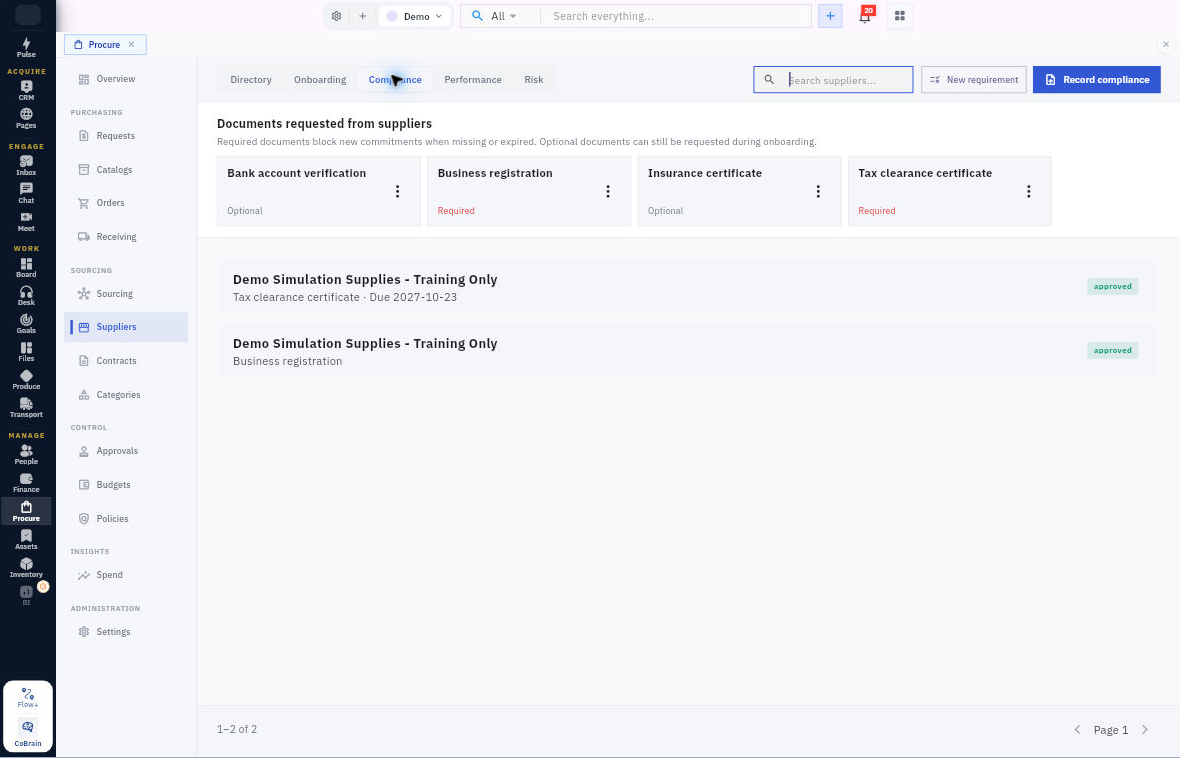
3. To record evidence for review, open Suppliers → Compliance → Record compliance. Confirm Supplier and Requirement, enter Document or registration reference and Issued on, and use Add expiry date → Expires on only when the evidence states an expiry.
4. Add the correct file through Evidence → Add files. Review the selected item and dates, then select Send for Review. Locate the resulting record and check its actual status and evidence. Submission is not approval.
Record the qualification recommendation
5. Open the same supplier’s case through Suppliers → Onboarding, then Internal review. Reconcile the required checks and any specialist findings before choosing an outcome.
6. Choose Qualification outcome: Qualified or Conditionally qualified, as supported by your process and evidence. Complete required Verification notes. For a conditional recommendation, enter Qualification conditions, one per line, with the missing action, responsible person, deadline and release condition. Use Risk review notes and Supporting documents for the supporting reasoning.
7. Mark This section is complete only when the information has been checked. Select Save progress, leave the case and reopen Internal review to check the retained outcome, notes, conditions and completion state.
8. Track any remaining evidence or review date with its owner. If essential evidence is missing or mismatched, resolve it rather than using conditional qualification to bypass it. A case-level Submit for internal review is separate from saving this section.
Expected result
The next reviewer can see what supports the recommendation, its permitted scope and what remains unresolved.
Remember: Optional in a configured checklist does not settle what a particular engagement requires. Do not alter a requirement to hide missing evidence, or use Restrict supplier, Suspend supplier or Archive supplier merely to explore their effects.
Continue learning
In this series: Manage purchasing — guide 5 of 17.
Turn what you learned into the way the team works.
Mark this lesson complete once the workflow exists in your workspace—not simply when you reach the bottom.