Submit a new asset for registration review
Prepare a complete asset record, check for duplicates and submit it to the registration queue.
In this lesson
Submit a new asset for registration review
Have the acquisition source, exact identifiers, condition assessment and intended placement ready. Registration creates a record for review; it does not by itself establish custody, payment or financial clearance.
Check before creating
1. Open Assets → Register. Search All Assets for the intended name, then compare serial number and tag/barcode through the available record details. If the same registered asset exists, use that record and stop this creation workflow. 2. Check Registration Review too. If the same asset is already pending, give the existing candidate and any corrections to its reviewer and stop this creation workflow; do not continue to New Asset. 3. Confirm the workroom’s asset currency and the required category/type references. Do not enter an amount in a different currency or choose a near-match category to get past a missing option.
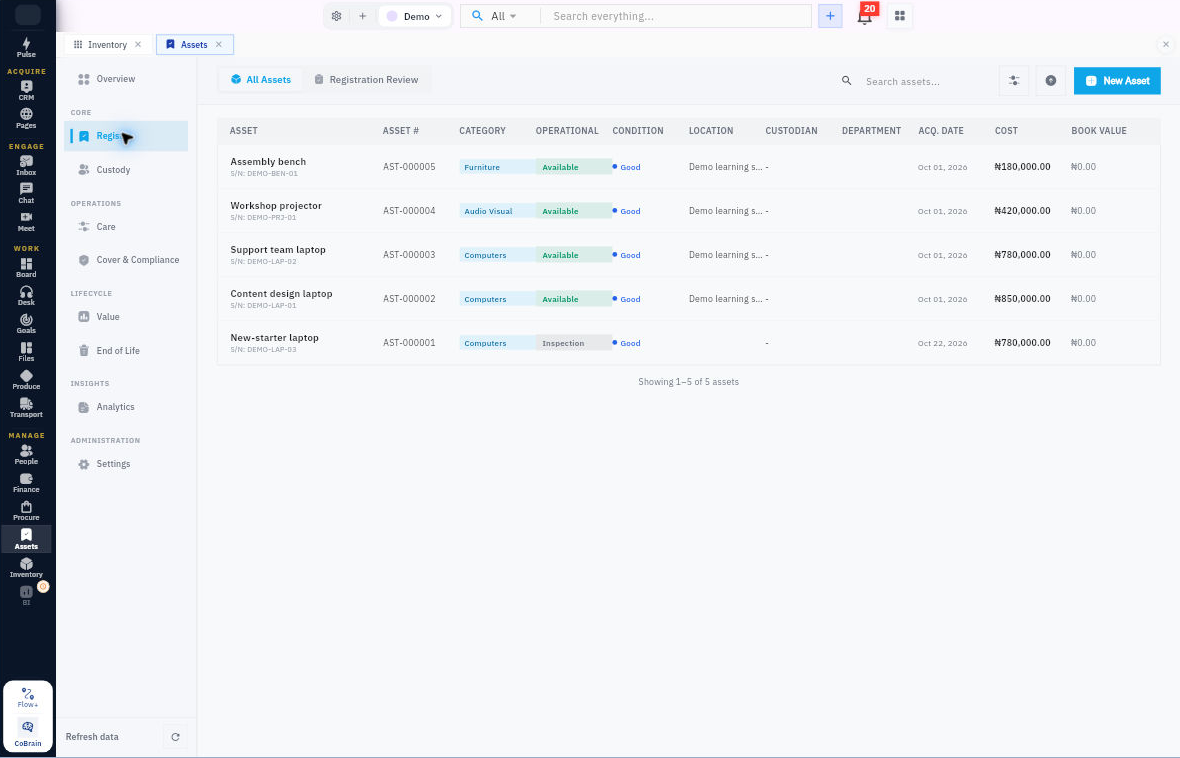
Check the result
Prepare and submit
4. Select New Asset to open Register an asset. Enter Asset name, Category and the applicable type, description, serial and barcode. Choose Condition from the actual assessment, not the form’s default. 5. Complete Acquisition from the source: method, date, vendor, PO reference, receipt reference, acquisition cost and incidental amounts. Keep references distinct; a typed PO reference is not proof of an attached document. 6. Complete Ownership & Placement, including the intended department, location, cost centre and project where applicable. Custodian assignment comes after registration so the custody history and acknowledgment can be recorded. 7. Review depreciation and warranty values with the responsible owner. Keep supporting documents and accessory details in the agreed review process when the registration form has no matching field. 8. Check all values, then select Submit for review once. 9. Leave the form, return to Registration Review and locate the same candidate. Check its retained details and give the reviewer any source documents or unresolved points. If the response was unclear, check both register tabs before submitting again.
Expected result: one identifiable pending registration for the reviewer. The asset number is assigned after registration review; submission is not acceptance.
Continue learning
In this series: Manage asset custody — guide 2 of 15.
Turn what you learned into the way the team works.
Mark this lesson complete once the workflow exists in your workspace—not simply when you reach the bottom.