Build and save a simple inactive workflow
Create a manual trigger connected to a number comparison, then reopen the saved draft.
In this lesson
Build and save a simple inactive workflow
Build a small workflow that compares 5 with 5. It has no action nodes, messages or record changes, making the structure easy to understand before you add business effects.
Before you start: You need permission to create a workflow. Use your own non-critical draft and a unique title. If that draft already exists, reopen it instead of creating a duplicate.
Create the draft
1. Open Flow+ → Build workflow. Enter a Workflow title, such as Compare two numbers, and a description explaining that it is a manual comparison with no actions. Select Save once.
2. In the builder, keep Inactive with its switch off.
Add the manual trigger
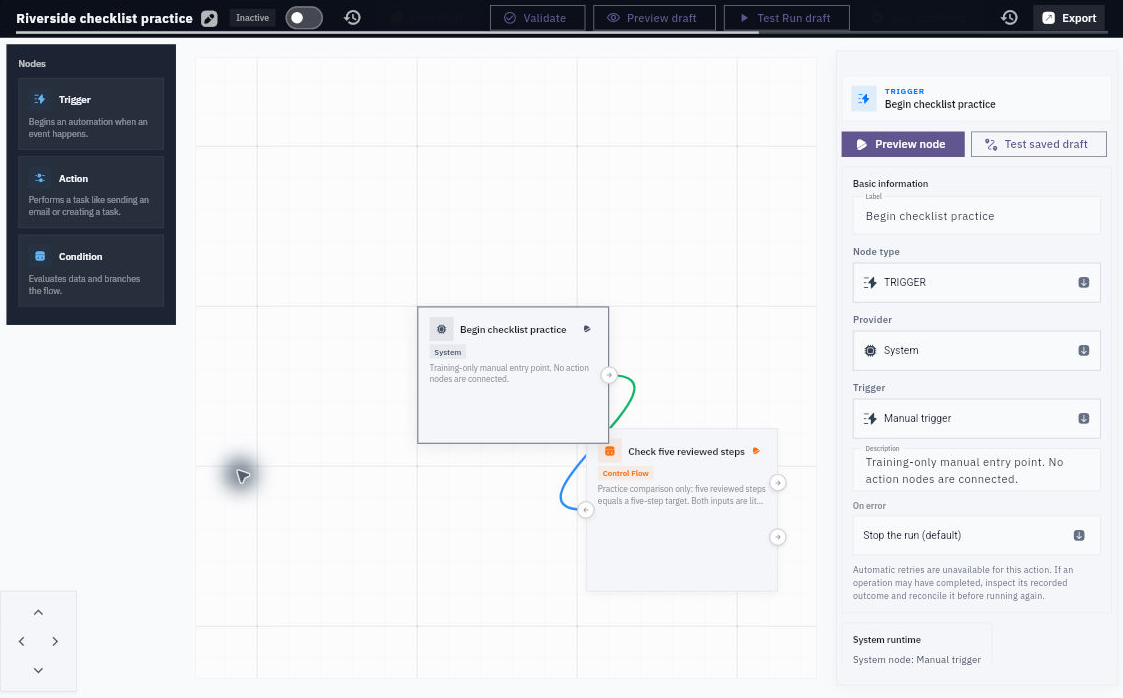
3. Choose Trigger in the Nodes panel. In the inspector, select Provider → System, then Trigger → Manual trigger. Give it a useful label, such as Start comparison.
4. Keep On error → Stop the run (default). Leave Allow other workflows to call this trigger off and do not add caller inputs. Select Save draft.
Add the condition
5. Choose Condition in the Nodes panel. Select Provider → Control Flow, then Condition → If / Else. Label it Compare five with five.
6. Under Configuration, choose Number for the first Value source. Replace the existing value completely with 5 and keep Set a value selected.
7. Choose equals. Set the second Value source to Number and its value to 5. Keep Containing body → Main workflow.
Connect and save
8. Select the trigger’s Output: Next step port, then the condition’s Input: Input port. In Active connections, confirm next → input. Leave the condition’s true and false outputs unconnected.
9. Select Save draft and wait for Draft saved. Leave the editor and reopen the same workflow from Workflows.
10. Check Inactive, both nodes, the connection, both Number 5 values and equals. Read the fields rather than relying only on a familiar-looking canvas.
Your saved definition now compares two constants. It does not count completed tasks or checklist reviews. Saving is separate from previewing or running; keep the draft inactive while learning those next steps.
If Save reports a connection problem, reopen this exact draft before trying again. The save may already have succeeded.
Continue learning
In this series: Design and check workflows — guide 3 of 8.
Turn what you learned into the way the team works.
Mark this lesson complete once the workflow exists in your workspace—not simply when you reach the bottom.