Current State
Teams lose speed when communication is split across disconnected inbox and calendar tools.
Communication fragmentation slows execution. Workroomly Inbox gives teams one unified inbox and scheduling workspace where email, calendars, and account context flow naturally across the people doing the work.
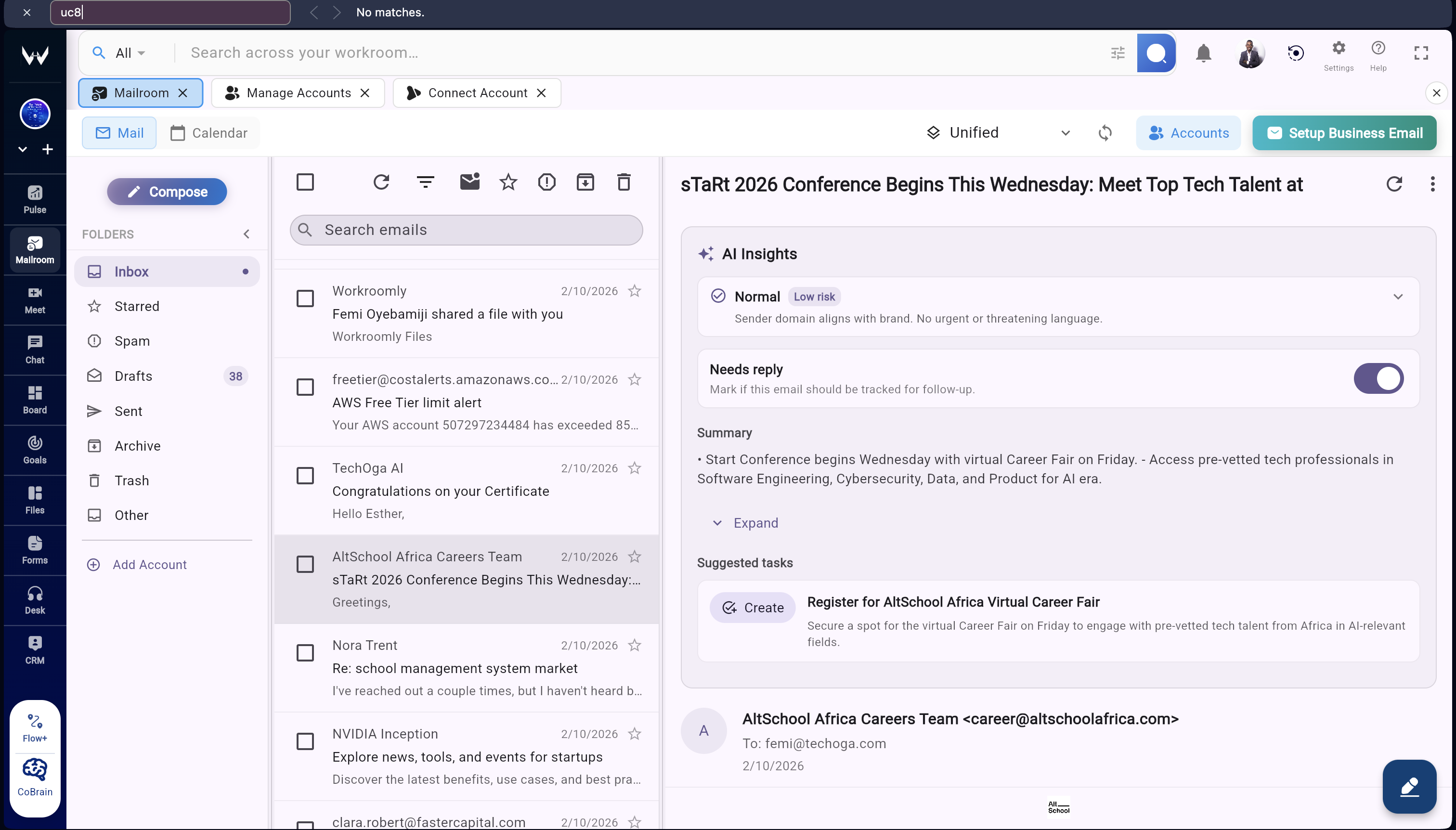
Teams lose speed when communication is split across disconnected inbox and calendar tools.
Unify inboxes, scheduling, hosting, and search in one category-credible communication command center.
Inbox becomes operational, not isolated, because every thread can connect directly to execution modules.
When multiple Gmail and Outlook tabs, disconnected calendars, and separate hosting tools run in parallel, teams lose context, response speed, and accountability. Workroomly Inbox replaces that sprawl with one operational workspace.
Result Communication stays busy, but execution slows down.
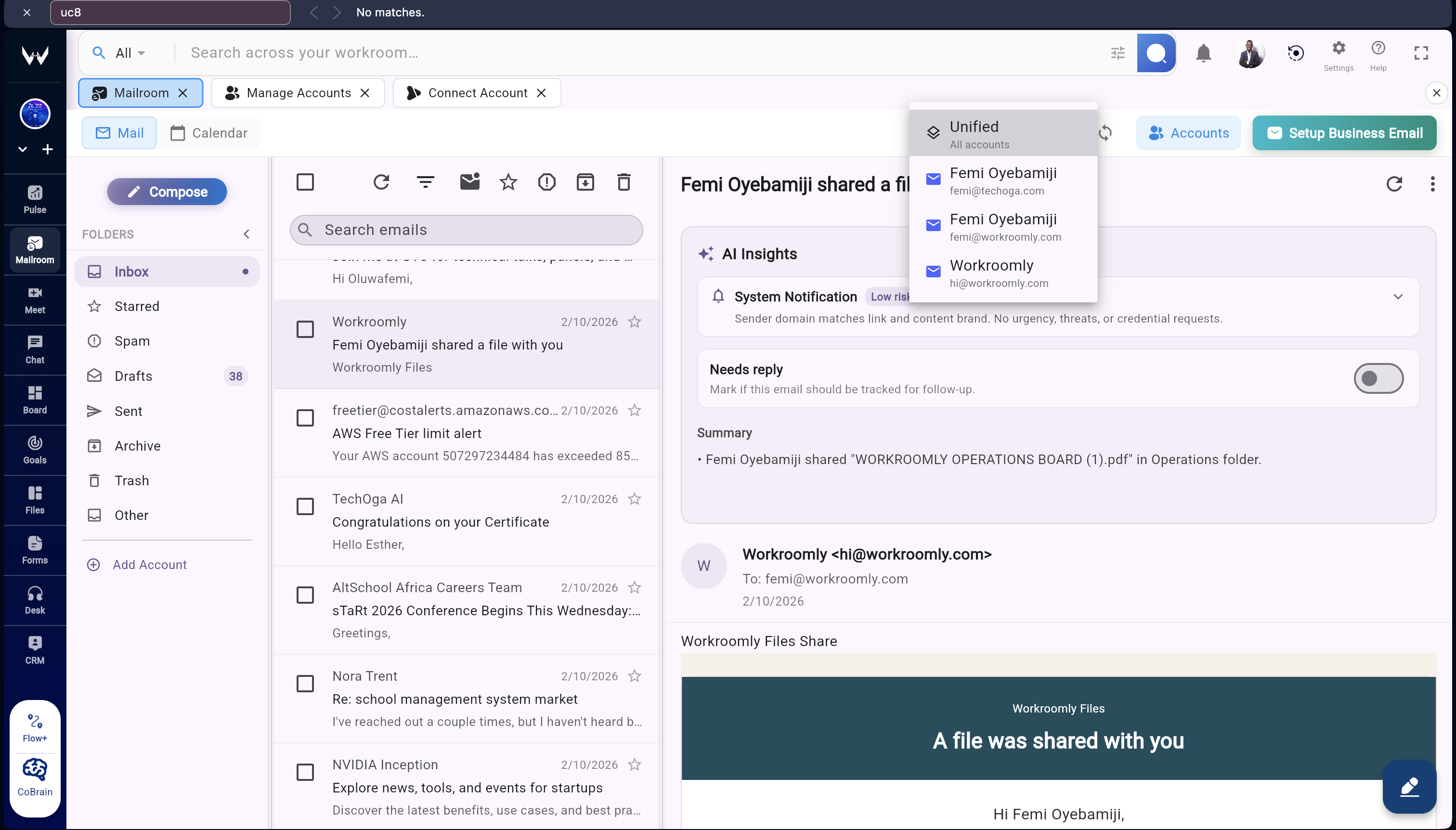
Result Teams communicate in context and move decisions into action immediately.
Tab sprawl and separate calendars create response delays and missed handoffs.
Inbox unifies account switching, scheduling, hosting, search, and attachment flow in one workspace view.
Communication data remains connected across teams and functions instead of trapped in an email silo.
Workroomly Inbox covers the full communication category: multi-account email, calendar scheduling, domain hosting, search, and organization. Then it strengthens that core with workspace context.
Connect multiple email accounts and manage personal and business inboxes in one unified conversation surface with clean switching and shared communication history.
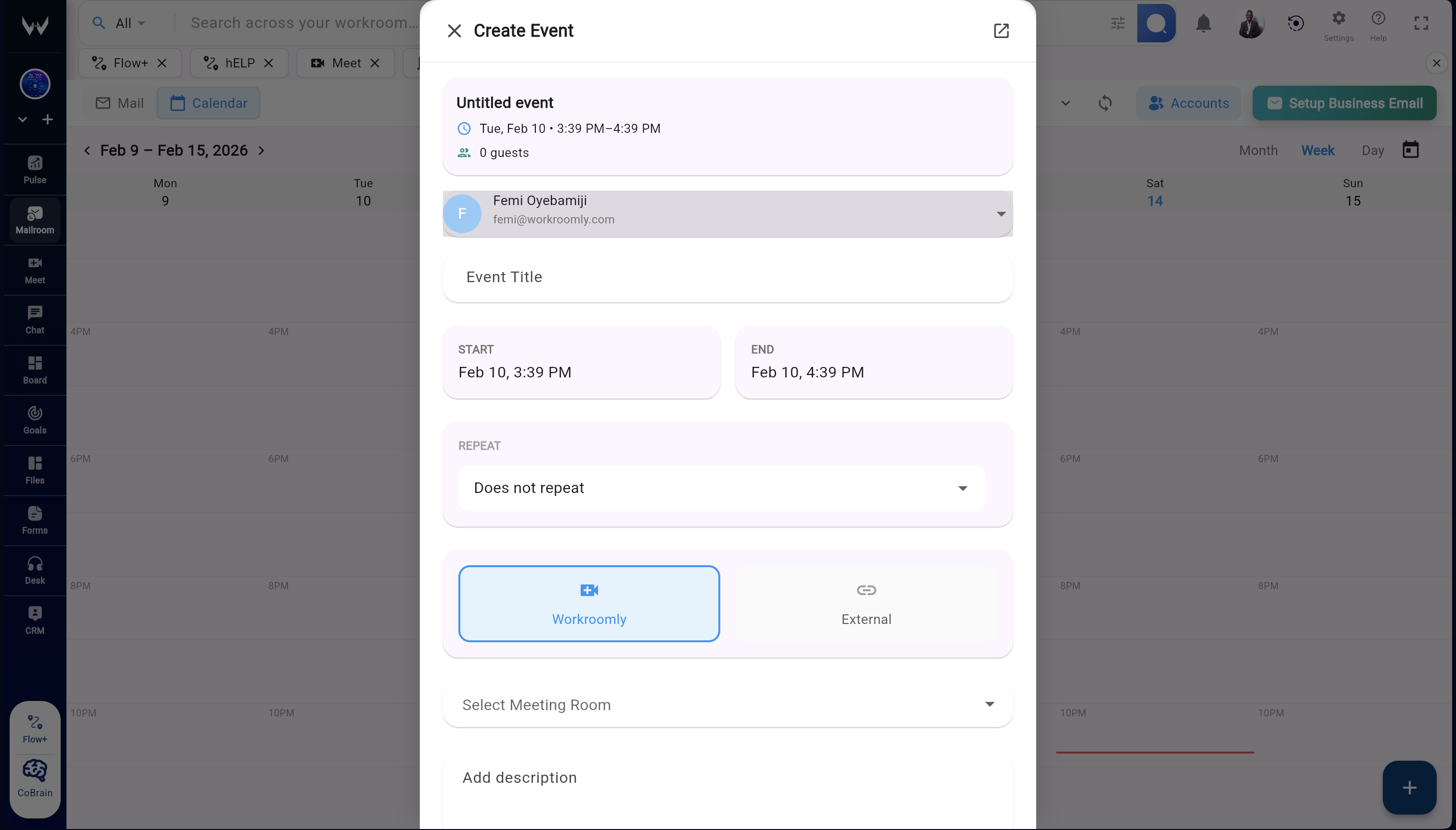
Integrated calendar for meeting creation, reminders, availability visibility, and daily schedule management.
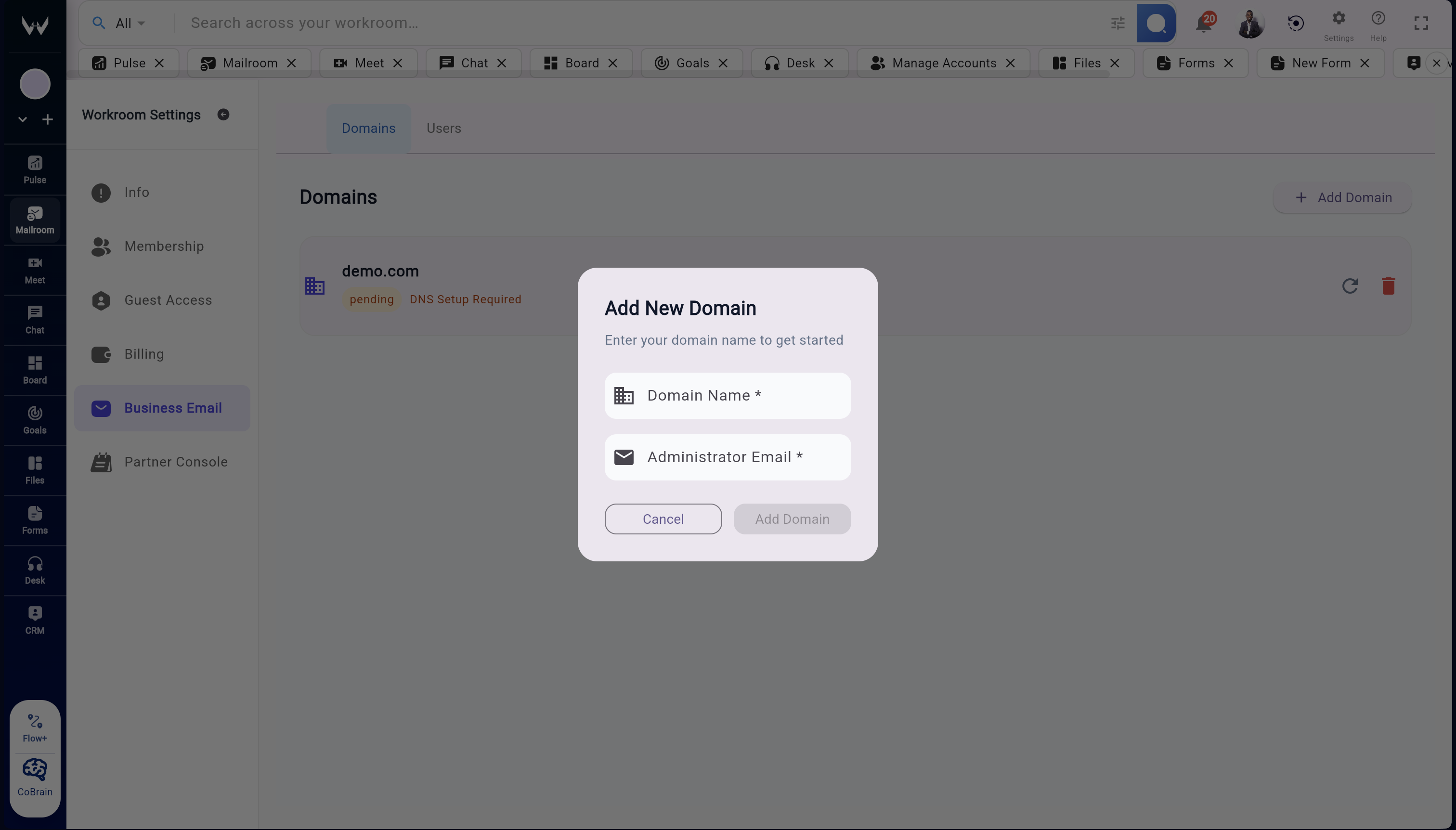
Host workspace domains, create professional inboxes, and operate domain-level communication from one secure control layer.
Threaded conversations, cross-account search, labels and folders, and reliable attachment management for fast retrieval.
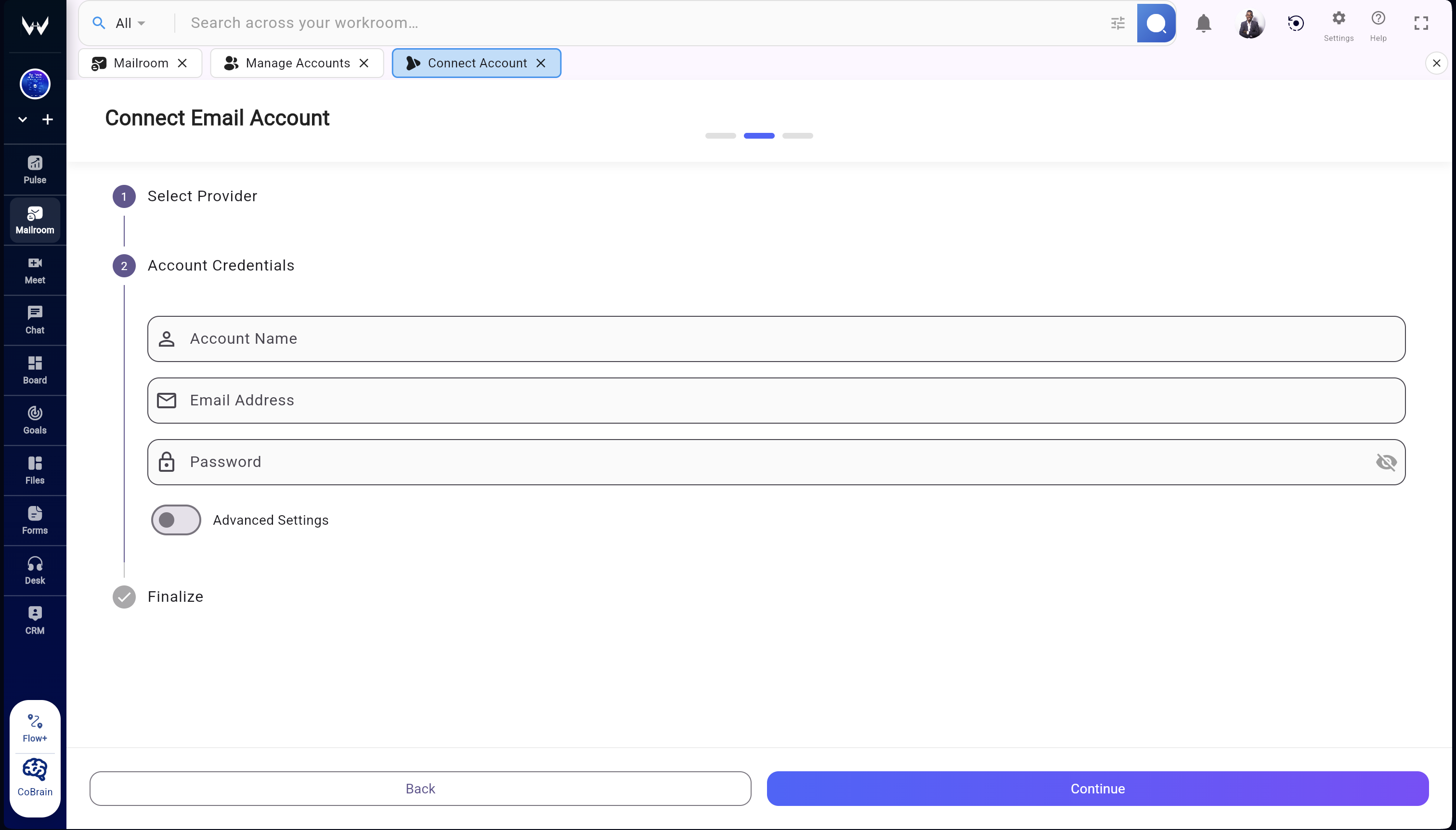
Switch between accounts quickly, preserve communication history, and keep team threads organized without bouncing between disconnected apps.
Most teams patch email and calendar workflows across tools that were never designed to work as one system.
Workroomly Inbox delivers full category depth across inbox, calendar, hosting, search, and organization.
Once communication is unified, teams can anchor each thread directly to operational workflows and ownership.
Inbox is not just message storage. It is a repeatable communication system from first email to execution context.
New communication enters a unified, visible inbox immediately.
Threading, labels, and search keep context structured and retrievable.
Events and availability are coordinated from the same workspace flow.
Files are retained in workspace storage with searchable linkage.
Critical threads connect directly to customer, support, and project records.
Communication flows break when handoffs depend on manual copy-paste between apps.
Inbox standardizes communication handling from intake to scheduling and documentation.
The final step links each communication event to operational records across Workroomly.
Traditional email products are communication endpoints. Workroomly Inbox is a communication system layer wired directly into revenue, delivery, support, and team coordination.
Great inbox UX still fails if communication remains detached from execution ownership.
Workroomly Inbox handles category-grade communication tasks at enterprise quality.
The surrounding Workroomly modules transform communication into accountable action paths.
Inbox competes credibly with Gmail, Outlook, Superhuman, Front, and Zoho on communication quality, then extends further by connecting every thread to full workspace execution.
| Capability | Workroomly Inbox | Gmail | Outlook | Superhuman |
|---|---|---|---|---|
| Unified multi-account inbox and calendar workspace | Native One workspace view across connected inboxes and scheduling. | Separate Surfaces Strong tools, but context is split across products. | Separate Surfaces Email and calendar are close, but execution links are external. | Email-First High-speed email experience with limited workspace depth. |
| Business domain hosting plus workspace account management | Included Domain email operations run inside the same workspace. | Available Hosting is strong but disconnected from broader work context. | Available Hosting is strong but coordination context depends on extra apps. | External Relies on underlying provider infrastructure and setup. |
| Communication linked to CRM, support, and project execution | Native System Link Threads connect directly to deals, tickets, boards, files, and meetings. | Integration Required Requires separate tooling and integration architecture. | Integration Required Requires additional products for full execution context. | Integration Required Focus is inbox speed, not cross-workspace execution mapping. |
| Cross-workspace communication signals and follow-up orchestration | Built In Pulse, Forms, Desk, Chat, and Boards reinforce communication quality. | Notifications Notification capabilities are strong, system reinforcement is external. | Notifications Notification capabilities are strong, operational orchestration is external. | Email Signals Fast triage signals are optimized for inbox flow only. |
Fast inbox tools still create operational drag when context ends at the email surface.
Inbox matches the core category requirements expected from top communication products.
Workroomly extends communication into revenue, support, meetings, and delivery workflows.
Inbox is designed for teams that need category-level communication capability and system-level execution linkage.
Challenge: Follow-up history is split across reps, inboxes, and CRM notes.
Workroomly: Conversations stay unified and tied to deals and accounts in CRM.
Challenge: Client communication context gets lost during account transitions.
Workroomly: Full thread history and calendar context remain searchable and shared.
Challenge: Scheduling and meeting prep happen in separate tools.
Workroomly: Email threads and calendar scheduling stay in one coordinated workspace.
Challenge: Important support emails are manually copied into ticket systems.
Workroomly: Desk can convert support threads into tickets with continuity preserved.
Challenge: Domain hosting, mailbox operations, and daily workflow are fragmented.
Workroomly: Host domains and run communication operations from one workspace system.
High-value use cases break when communication memory is scattered across tools.
Inbox supports full communication operations from account handling to scheduling and hosting.
Each use case improves further when linked to CRM, Desk, Boards, Files, Chat, Meet, Forms, and Pulse.
Replace fragmented inbox and calendar workflows with one enterprise-grade communication system connected to the work your team must deliver.
Teams are still paying the hidden cost of fragmented communication systems.
Inbox unifies communication operations with premium speed, clarity, and control.
Inside Workroomly, communication becomes a direct driver of accountable execution.