Workroomly Platform AI Workspace

Feature OS for connected teams

Spin up meetings, Desk queues, CRM pipelines, forms, and automations from one pristine control center - calm, fast, and enterprise-ready.

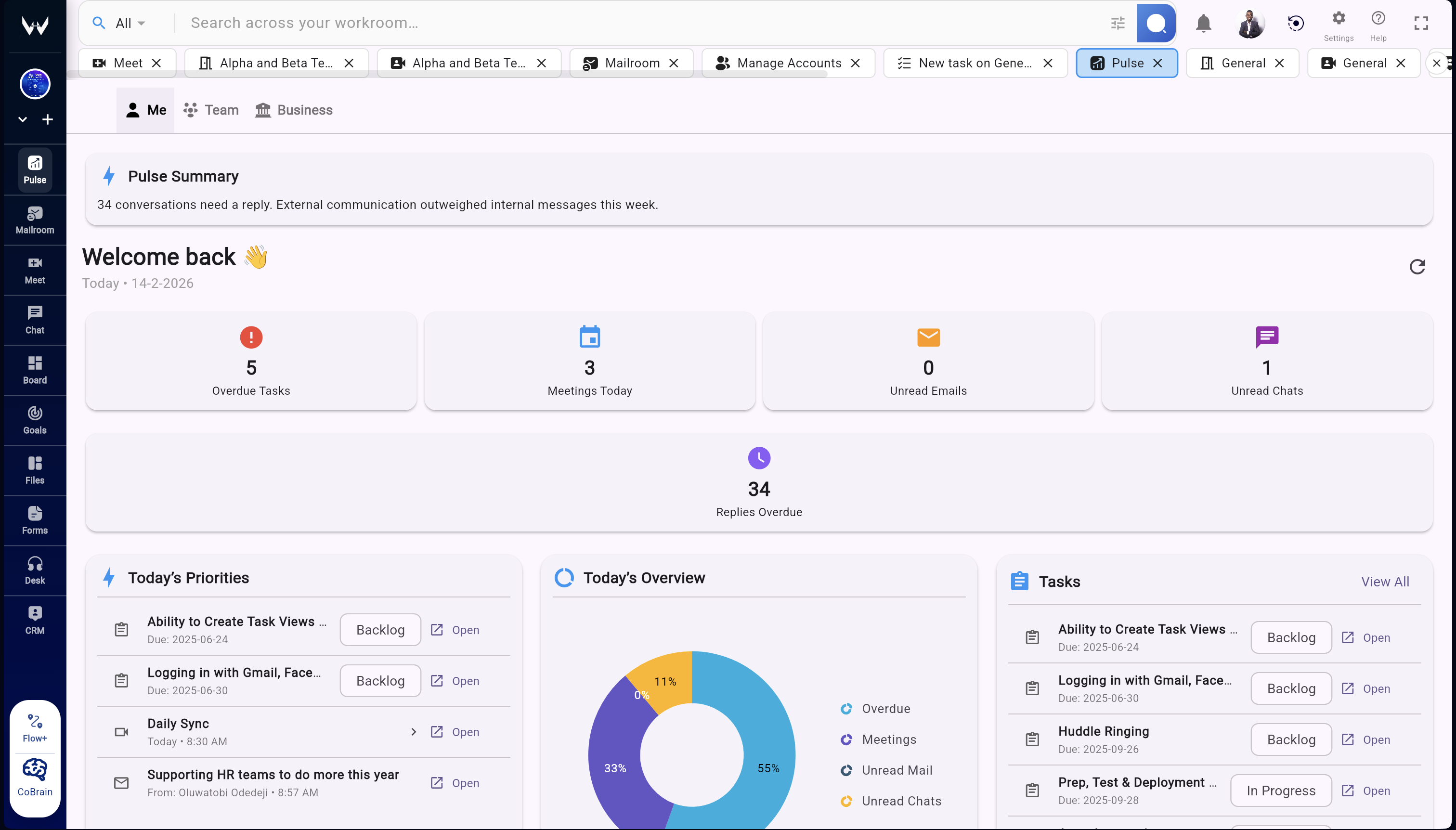
Live Command Center

Pulse calls out blockers, Desk SLAs, CRM risks, and wins across modules.

Flow+ Automations

Trigger multi-step workflows straight from meetings, boards, or CRM.

One App · Contextual Workrooms

Spin up workrooms with tabs, search, and governance in a single surface

Smart workroom tabs

Open chat, boards, docs, and mail side-by-side so every workroom runs its rituals without tab sprawl.

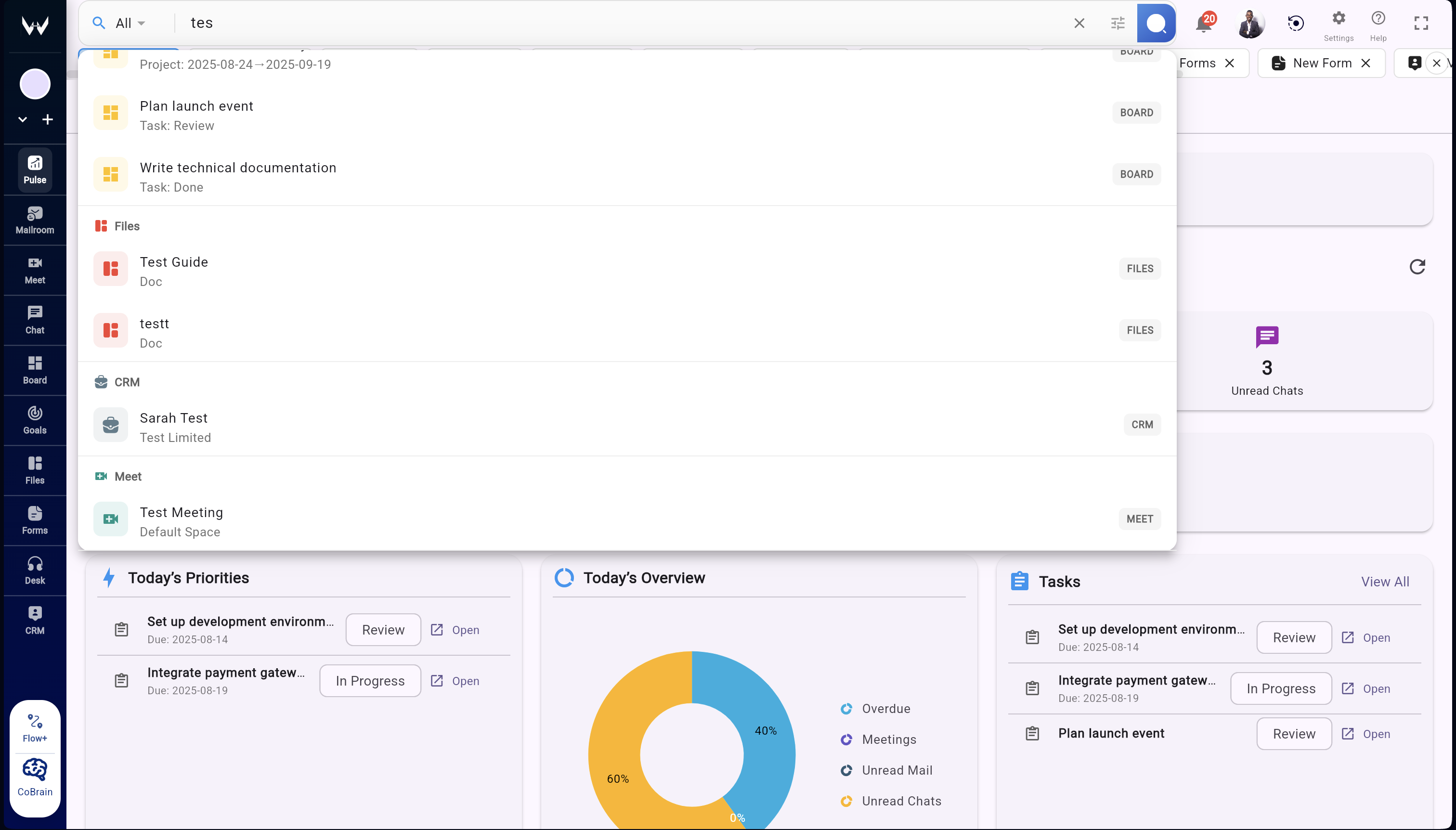
Context-aware search

Search inside a workroom or across all of Workroomly—tasks, decisions, files, and automations stay linked.

Unified notifications

One feed for every update in a workroom, with filters for decisions, mentions, approvals, and launches.

Granular controls

Workroom-level ACLs, retention, and audit logs enforce security policies while keeping teams in flow.

CoBrain — Contextual AI

Workspace-native intelligence with citations, controls, and instant actions

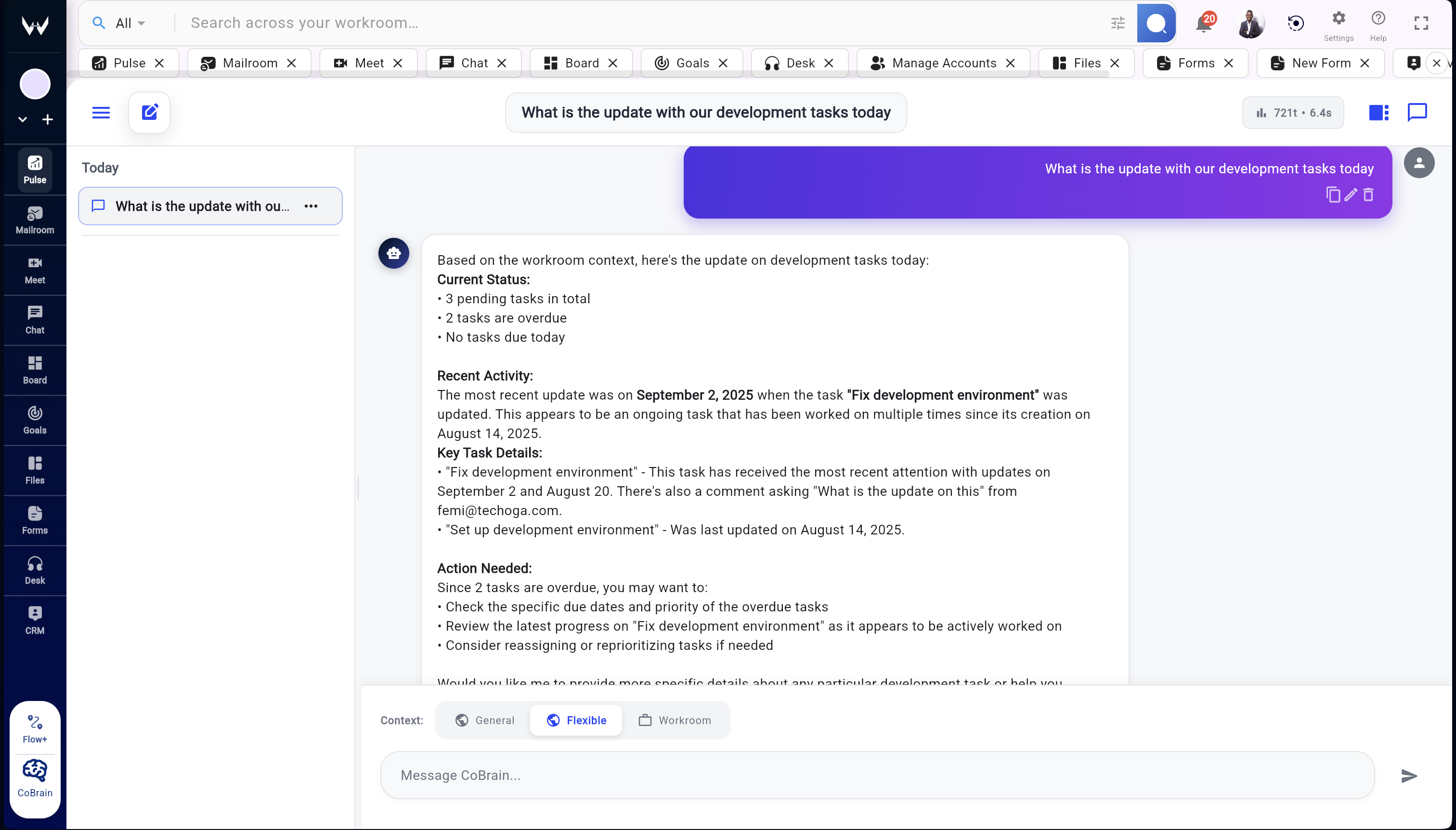
Context modes

Switch between workroom-only, flexible, and general modes so answers stay governed while still helpful.

Citations & confidence

Every response cites the underlying doc, board, or note and tags the confidence score for fast trust checks.

Quick prompts & automations

Use curated prompts (Daily Brief, Summarize board, Draft email) or trigger automations straight from chat.

Flexible surfaces

Open CoBrain as a floating assistant, sidebar, or full tab so it’s always available without leaving flow.

Daily Pulse

Live AI briefings across projects and teams

Morning Summary

Personalized digest of tasks, updates, and meetings each morning.

Project Highlights

AI surfaces blockers, overdue tasks, and progress automatically.

Cross-Module Insights

See everything—chat, tasks, docs, and meetings—in one recap.

Custom Alerts

Stay notified on what matters most with AI-prioritized updates.

Desk

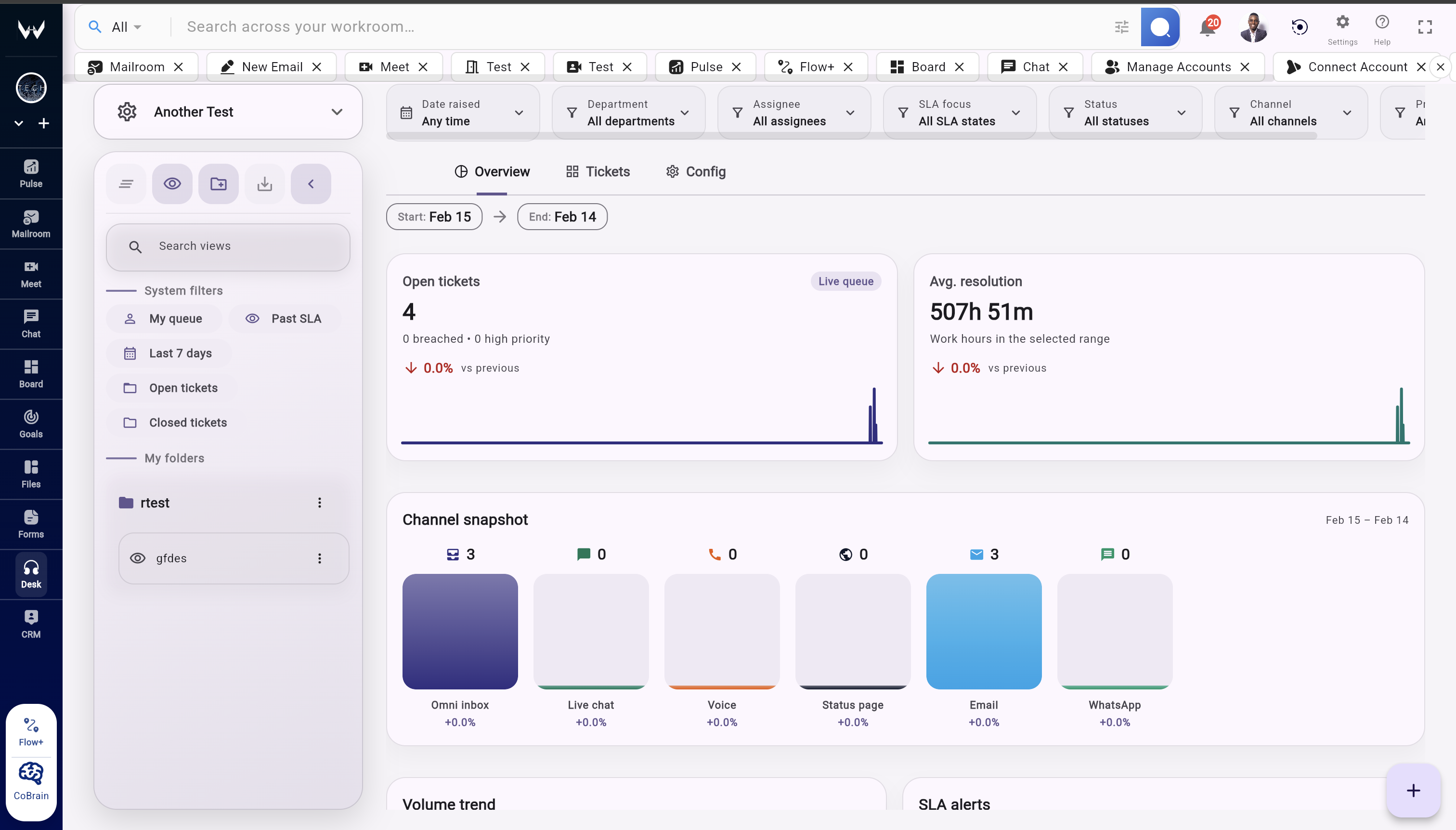
Support tickets, internal requests, and SLA tracking in one queue

Unified ticket queues

Handle customer requests and internal tickets from one live desk.

Saved views

Filter by priority, status, or SLA to stay ahead of escalations.

Quick triage

Assign owners, set priorities, and convert tickets to tasks instantly.

Desk reporting

Track response times, resolution trends, and agent workload.

CRM

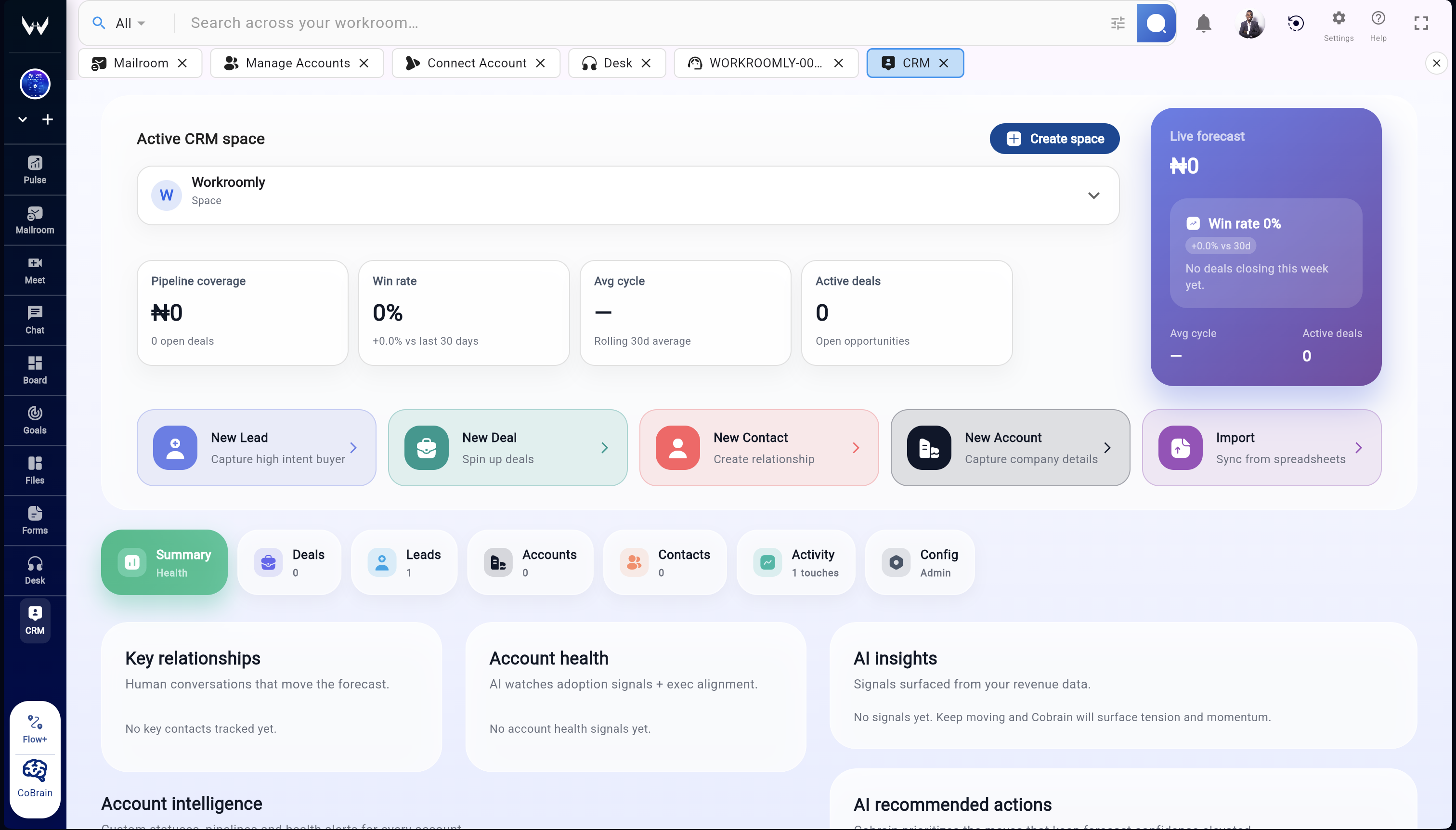
Leads, deals, and accounts in a modern sales workspace

Pipeline views

Move deals through kanban, table, or list views with stage health.

Quick actions

Create leads, deals, contacts, and accounts in one click.

Accounts and contacts

Centralize relationships, stakeholders, and engagement history.

Activity + integrations

Log calls, meetings, and messages with integrated activity tracking.

Forms

Forms, surveys, and workflows with real-time responses

Templates + builder

Launch intake forms, surveys, and workflows in minutes.

Response analytics

Track completion rates, response trends, and totals in real time.

Sharing controls

Invite collaborators, publish links, and manage access easily.

Workflow triggers

Turn responses into tasks and automations instantly.

Business Email

Secure, custom domain mailboxes with enterprise reliability

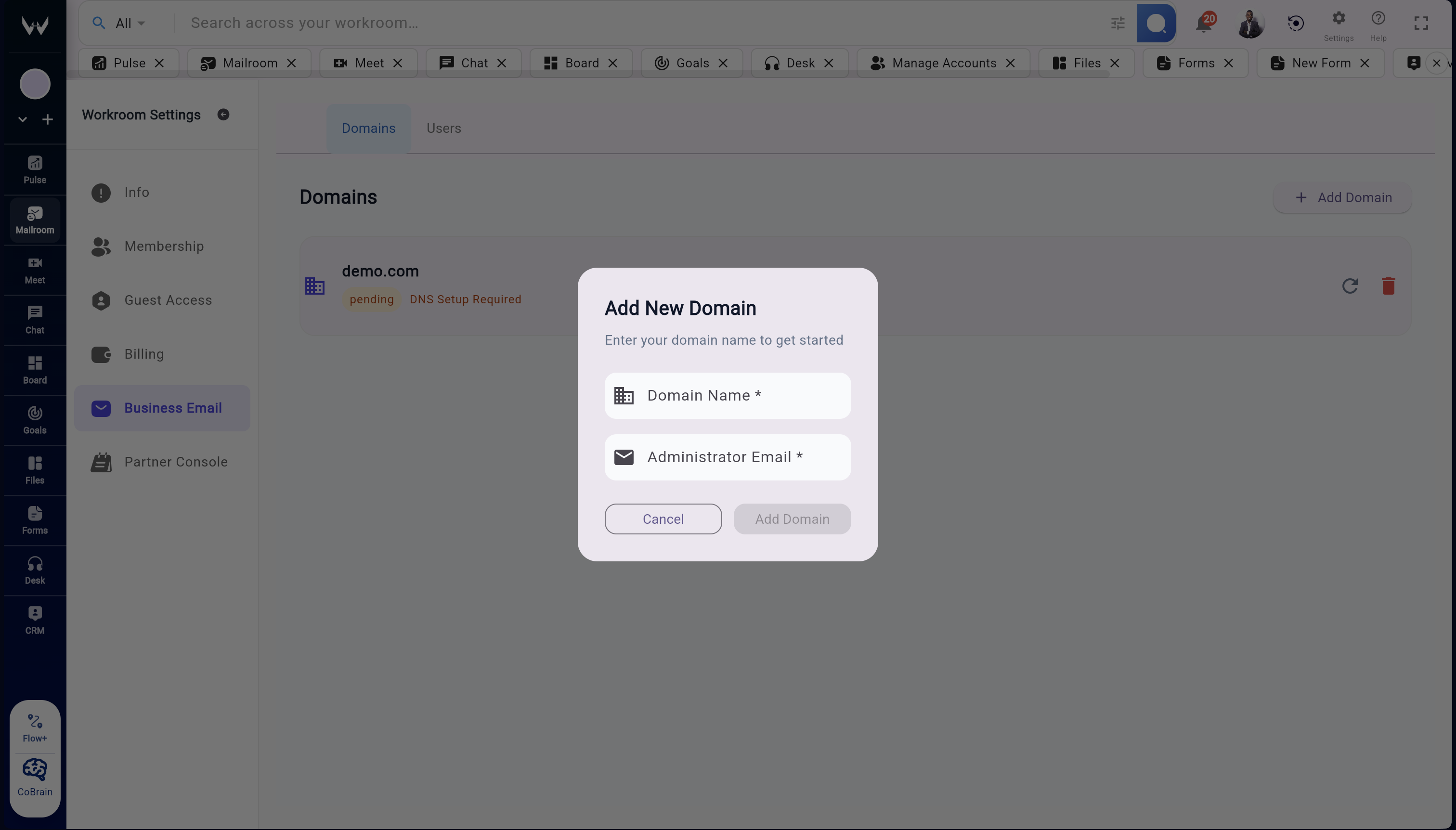
Custom Domains

Get user@your-domain.com with DKIM, SPF, and DMARC protection.

Unified Login

Access email, calendar, and modules with one secure login.

Spam & Virus Protection

Advanced filtering keeps your inbox safe.

Seamless Sync

Full IMAP/SMTP support across all your devices.

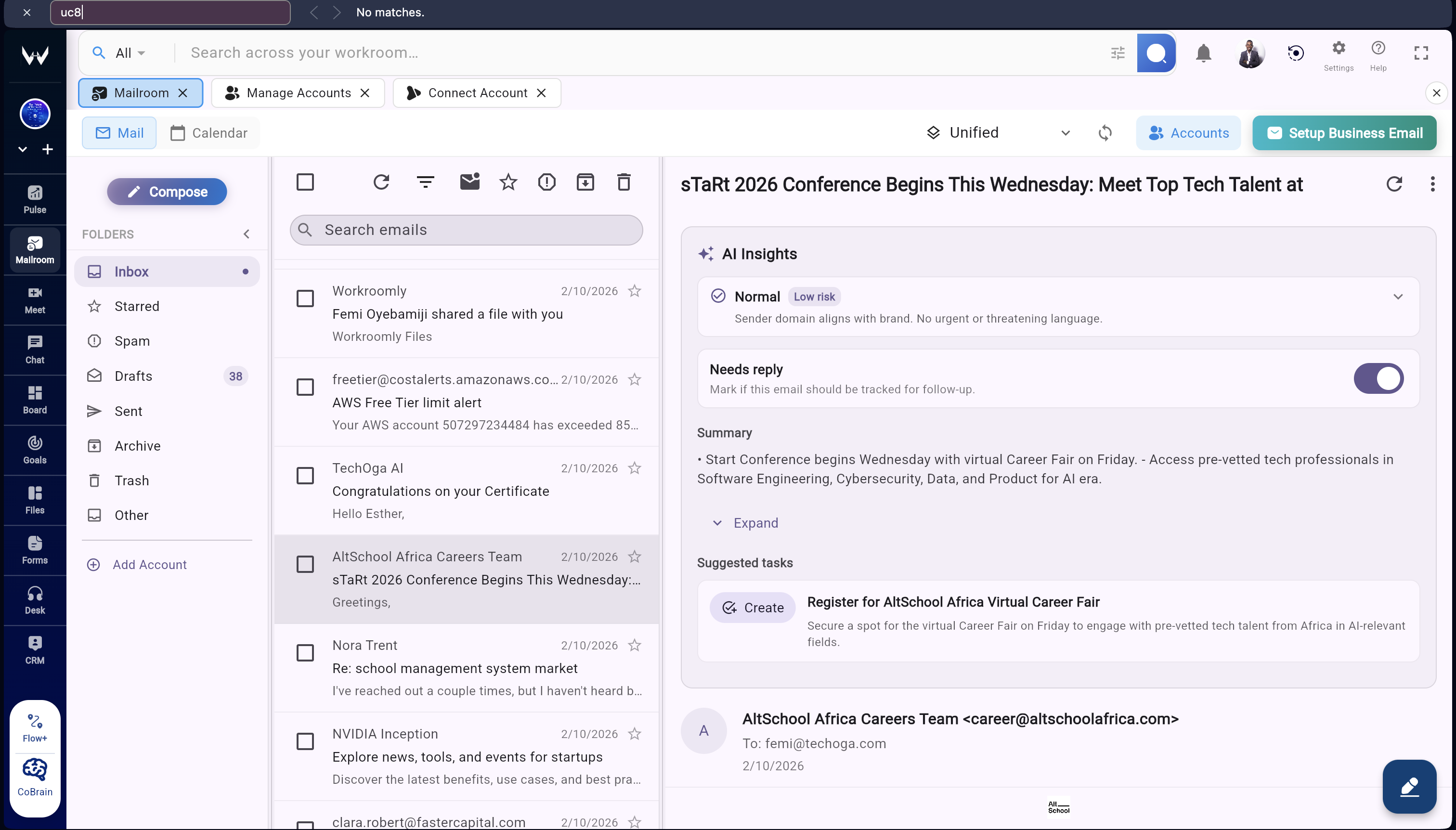
Unified Mailroom

All your inboxes and calendars in one smart view

Multiple Accounts

Connect Gmail, Outlook, iCloud, and custom IMAP/SMTP.

Smart Folders

Unified Inbox, Sent, Drafts, Spam, and Archive across accounts.

Calendar Integration

Emails and events sync into one calendar view.

Search Everything

AI-powered search across all messages, attachments, and events.

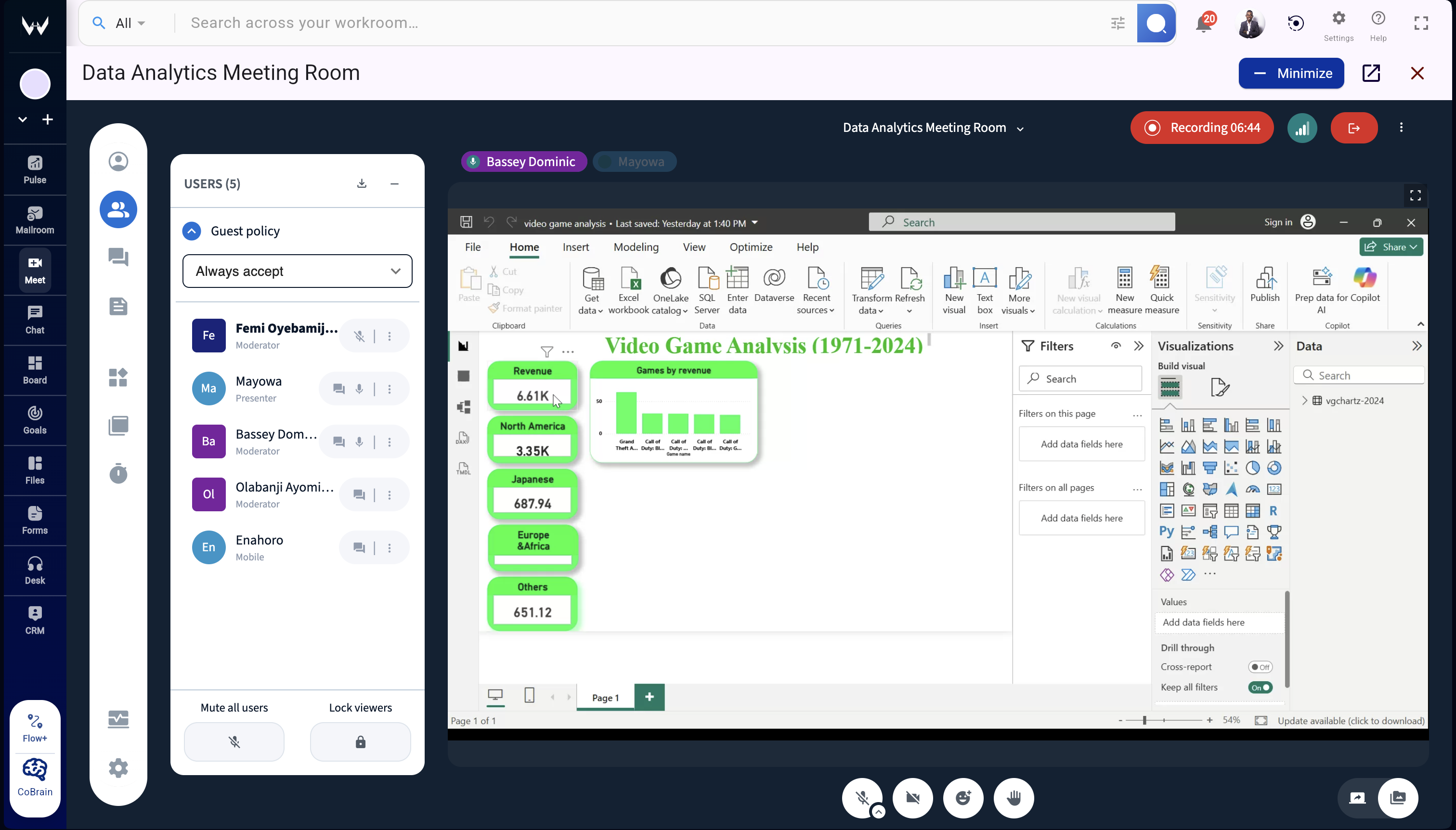
Live Meetings

HD video meetings with AI-powered enhancements

HD Video & Audio

Crystal-clear video and audio with noise suppression.

AI Meeting Assistant

Transcriptions, action items, and instant summaries.

Collaborate In-Meeting

Share docs, create tasks, and assign follow-ups live.

Recordings & Recaps

Store recordings in Drive with searchable recaps.

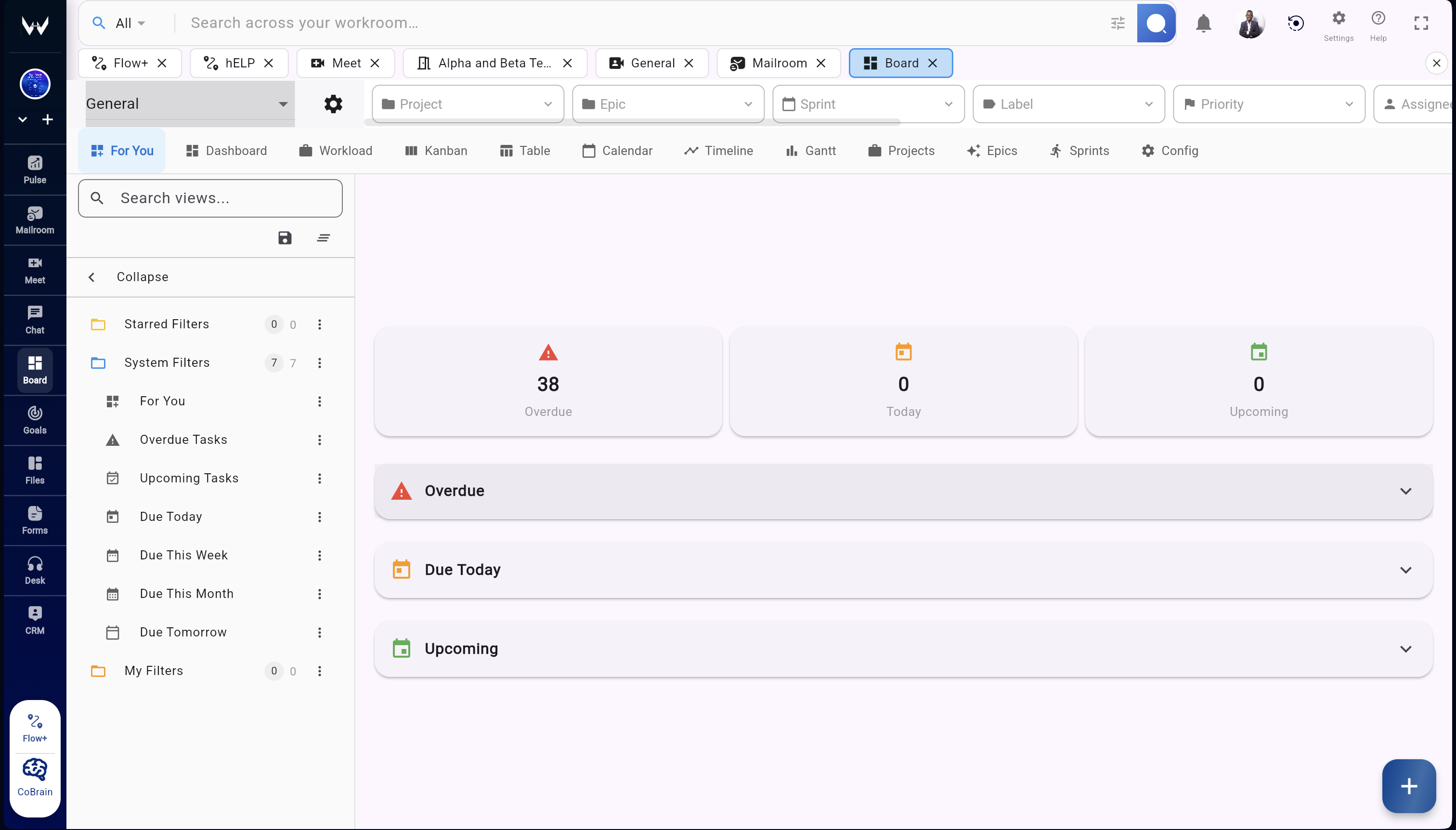
Smart Project Board

Organize tasks, sprints, and projects on visual boards

All Your Views

Switch between Kanban, Table, Timeline, and Sprint views.

Sprints & Projects

Track work in sprints or projects with ease.

Custom Statuses

Create your own statuses—no rigid workflows.

Unified Task Hub

One place for all tasks, projects, and filters.

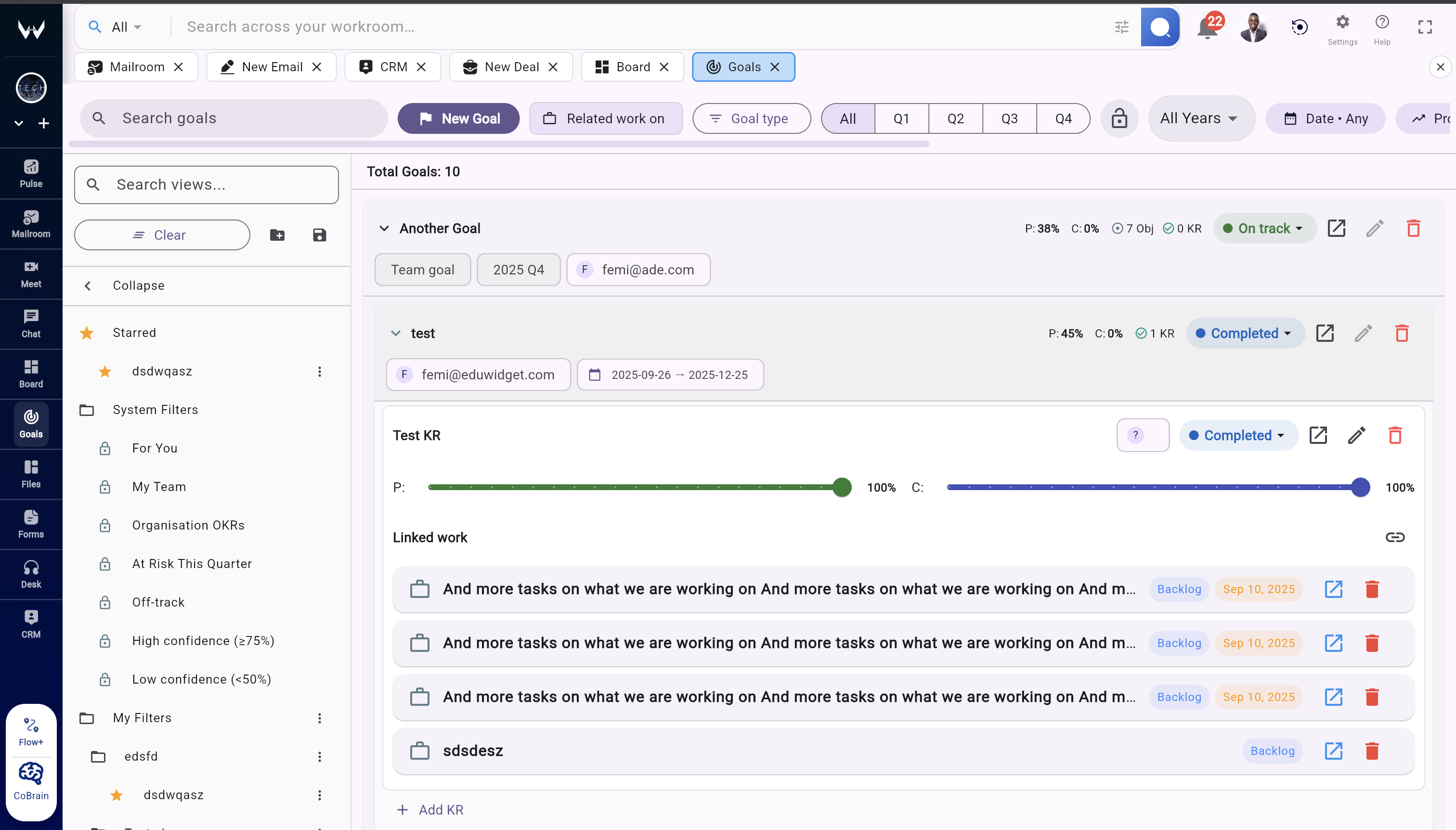
Goals & OKRs

Run quarter-aware OKRs with saved views, governance, and live work data

Operator-first views

“For You”, “My Team”, and organization views auto-filter OKRs so every leader sees the right scope instantly.

Confidence & risk heatmaps

At-a-glance confidence bands flag off-track objectives by quarter so you can intervene before reviews.

Linked work

Connect KR progress to live tasks, boards, docs, and meetings—updates cascade automatically.

Quarter locks & admin guardrails

Freeze quarters, control edit access, and keep an audit log of every change for finance and ops.

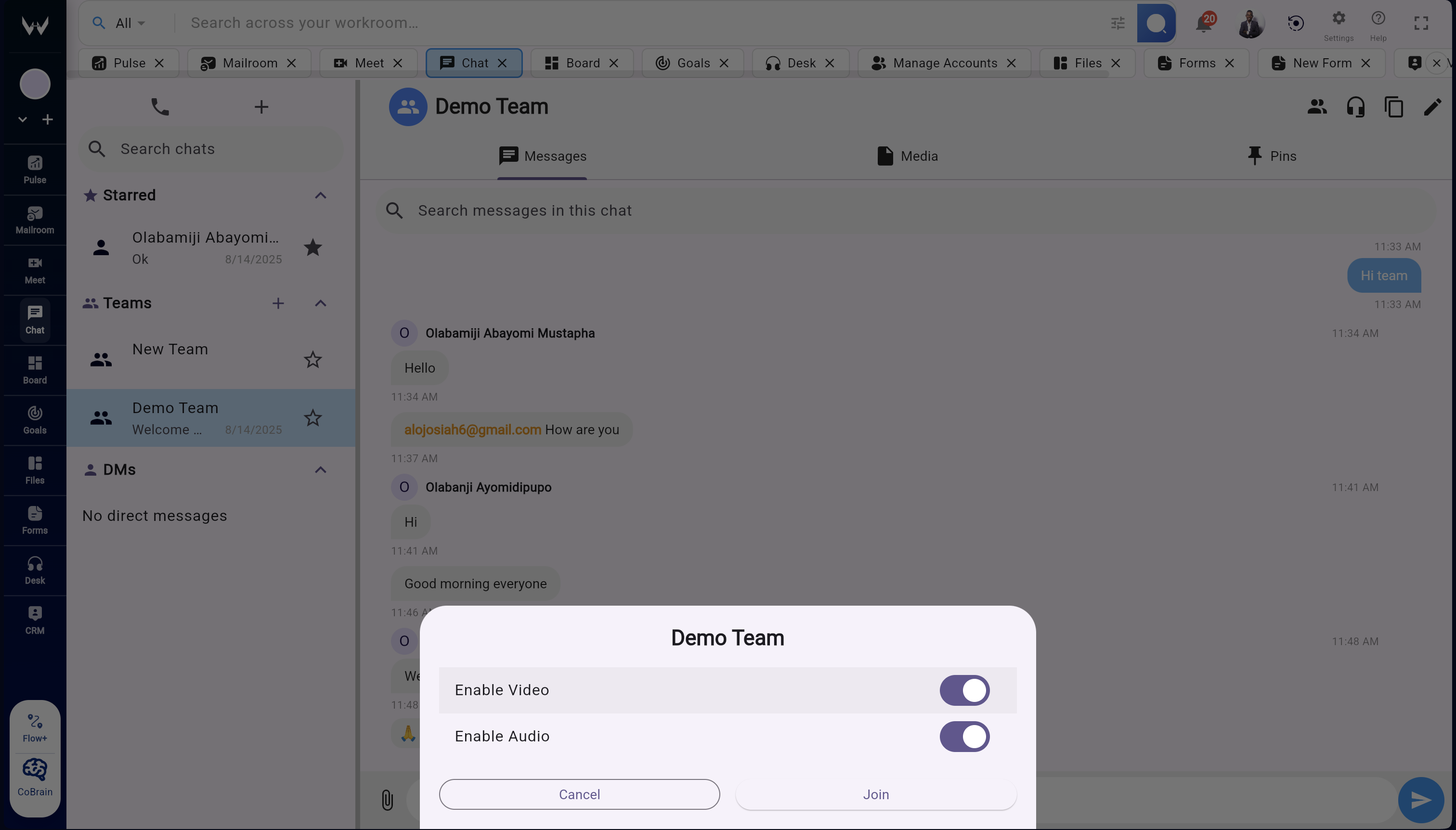
Intelligent Chat

Real-time messaging with AI-powered context and automation

Convert to Tasks

Turn messages into tasks instantly—no copy-paste needed.

React & Pin

React with emojis or pin important messages for visibility.

Threads & Mentions

Keep chats organized and notify teammates instantly.

Enterprise Security

Encrypted at rest and in transit with enterprise-grade security.

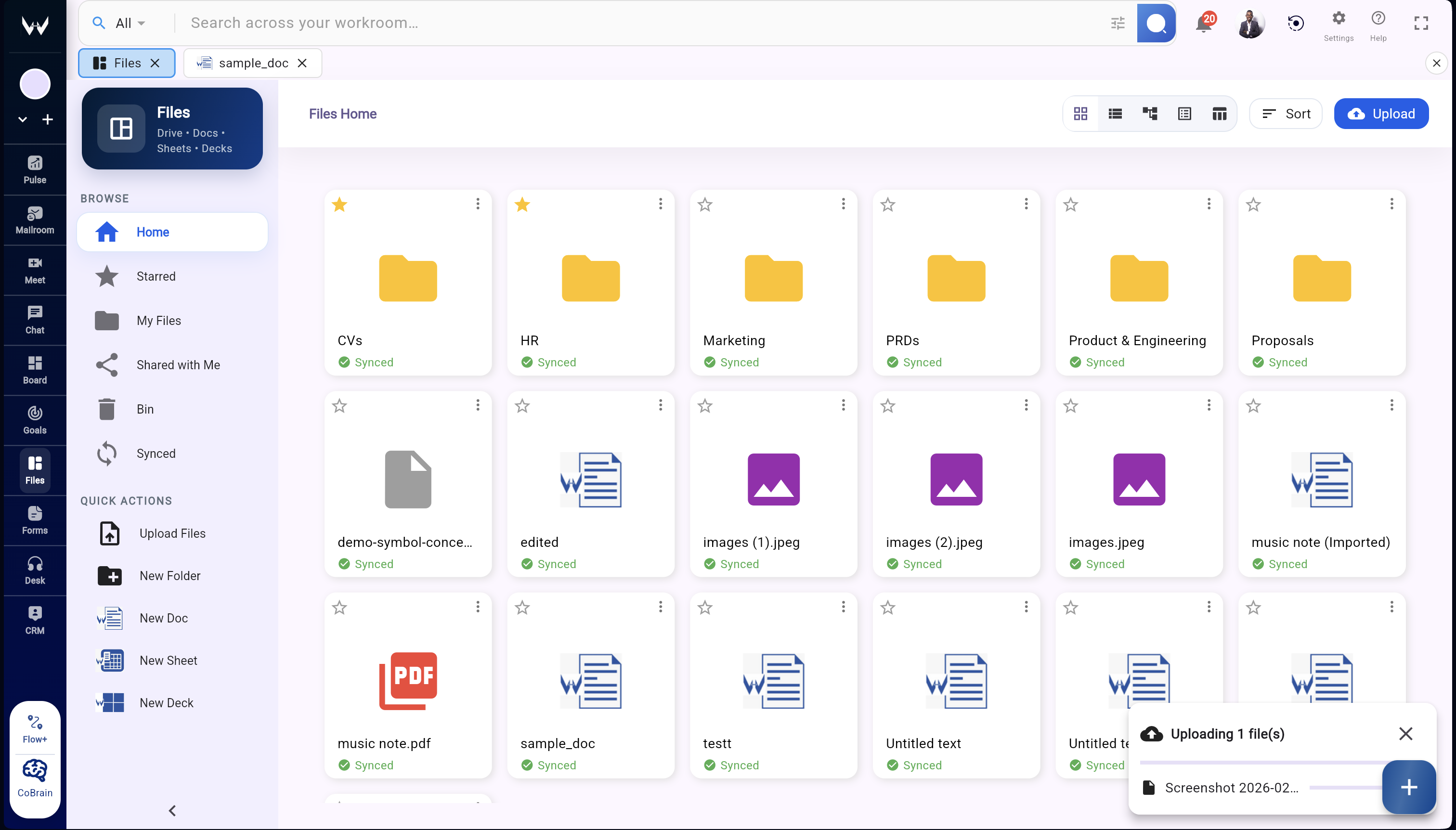
Files

Docs, decks, and sheets securely stored in one place

All File Types

Store, preview, and share documents, images, videos, and more.

Built-In Editors

Edit docs, sheets, and slides right inside Workroomly.

Collaboration Tools

Work together with comments, suggestions, and real-time editing.

Secure Backup

Files are encrypted and backed up automatically in the cloud.

Intelligence Automations (Flow+)

AI-powered workflows, automations & integrations

AI Agents

Detect tasks from chat or meetings and create them automatically.

No-Code Automations

Set triggers and actions—like “when task closes, send update to chat.”

Integrations

Connect CRM, GitHub, Figma, and other tools seamlessly.

Smart Suggestions

AI recommends automations to save time and reduce repetitive work.